SignSolú

Catering contract template: free in Word, or sign it online

Reviewed in October 2026

A catering contract is the agreement between a caterer and a client for food and service at an event. It sets the date, the menu, the guest count, the staff and the price. It also covers the deposit, the final headcount deadline and what happens if the event is canceled.

Ten documents free, no card. Signed by the client and the caterer.

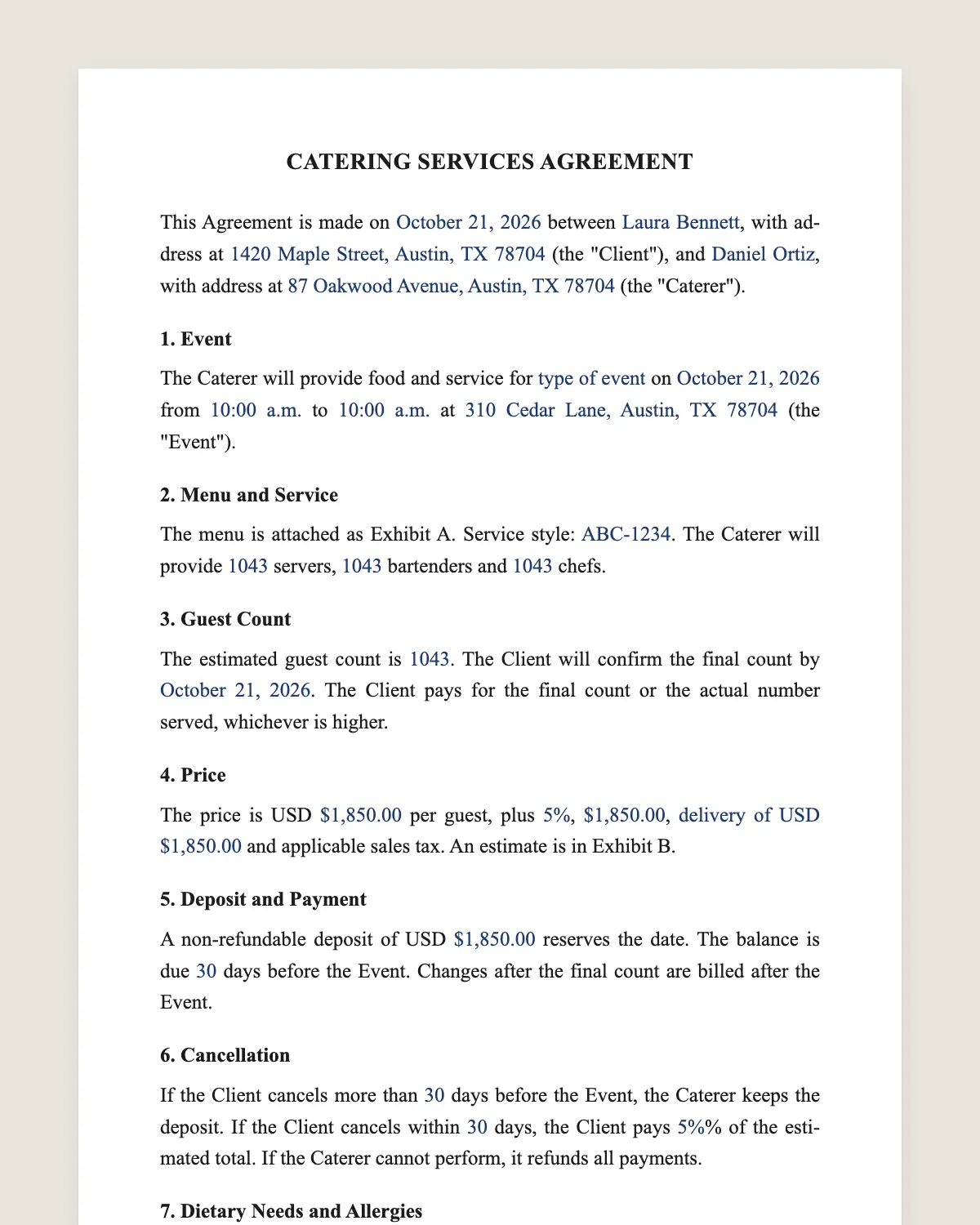
Catering contract example, filled in with sample data
Example filled in with sample data

The full catering contract

CATERING SERVICES AGREEMENT

This Agreement is made on [date] between [client name], with address at [address] (the "Client"), and [caterer name], with address at [address] (the "Caterer").

1. Event

The Caterer will provide food and service for [type of event] on [event date] from [start time] to [end time] at [venue name and address] (the "Event").

2. Menu and Service

The menu is attached as Exhibit A. Service style: [plated / buffet / family style / stations / drop-off]. The Caterer will provide [number] servers, [number] bartenders and [number] chefs.

3. Guest Count

The estimated guest count is [number]. The Client will confirm the final count by [date, usually 7 to 14 days before]. The Client pays for the final count or the actual number served, whichever is higher.

4. Price

The price is USD [amount] per guest, plus [service charge of [percentage]%], [rentals of USD [amount]], [delivery of USD [amount]] and applicable sales tax. An estimate is in Exhibit B.

5. Deposit and Payment

A non-refundable deposit of USD [amount] reserves the date. The balance is due [number] days before the Event. Changes after the final count are billed after the Event.

6. Cancellation

If the Client cancels more than [number] days before the Event, the Caterer keeps the deposit. If the Client cancels within [number] days, the Client pays [percentage]% of the estimated total. If the Caterer cannot perform, it refunds all payments.

7. Dietary Needs and Allergies

The Client will list dietary restrictions and allergies by the final count date. The Caterer will label items and take reasonable care, but cannot guarantee an allergen-free kitchen.

8. Alcohol

[The Caterer will serve alcohol under its license and may refuse service to minors or intoxicated guests. / No alcohol is served by the Caterer.]

9. Venue, Setup and Cleanup

The Client will confirm the Caterer's access to the venue from [time]. The Caterer will set up, serve, clear and remove its equipment and food waste. Leftover food is [packed for the Client / discarded] following food safety rules.

10. Liability and Insurance

The Caterer carries general liability and liquor liability insurance [if serving alcohol]. The Client is responsible for damage caused by guests to the Caterer's equipment.

11. Governing Law and Signatures

This Agreement is governed by the laws of the State of [state]. The parties agree to sign it electronically.

Client

Name: [name]

Signature: ______________

Date: [date]

Caterer

Name: [name]

By: [name]

Signature: ______________

Date: [date]

What the template includes

  • Client and caterer
  • Event type, date, times and venue
  • Menu and service style
  • Number of servers, bartenders and chefs
  • Estimated and final guest count
  • Price per guest, service charge, rentals and tax
  • Deposit and balance due date
  • Cancellation by either side
  • Dietary needs and allergies
  • Alcohol service
  • Setup, cleanup and leftovers
  • Liability and insurance

What you fill in

FieldExample
ClientAshley and Tom Reyes
CatererSaffron Table Catering
EventWedding reception, June 12, 2027, 5 pm to 11 pm
VenueWillow Barn, 120 County Rd 8, Fort Collins, CO
ServicePlated dinner, 6 servers, 2 bartenders
Guest count140 estimated, final by May 29, 2027
PriceUSD 78 per guest plus 20% service charge
DepositUSD 3,000 non-refundable

How it gets signed

  1. 1Choose «Use this template», fill in the fields and review the full catering contract.
  2. 2Send it by WhatsApp or email. The other party opens the link on their phone without an account.
  3. 3They tap the brown bar at the bottom that says «Sign as …» and draw their signature once.
  4. 4Everyone gets the signed PDF with its signature certificate. Anyone can check it at signsolu.com/verificar.

The signing screen tells each signer that signing means agreeing to sign electronically. It links to the electronic signature disclosure that the ESIGN Act asks for.

What you get once everyone signs

  • The signed PDF. The final catering contract with every drawn signature in place.
  • The signature certificate. It lists each signer and the date and time of each signature.
  • A record you can check. The folio on the certificate opens the document history at signsolu.com/verificar.
  • Reminders. Turn them on and SignSolú reminds every signer who has not signed yet.

Your first ten documents are free and need no card.

What the law says

A catering contract is a services contract under state law. Courts enforce deposits and cancellation fees that are reasonable for the caterer's real costs.

Food service is regulated by state and local health departments. Caterers need the permits their county requires, especially for off-site events.

Serving alcohol needs the right license, and liquor liability rules vary by state. Clause 8 sets who serves and under which license.

The ESIGN Act, 15 U.S.C. 7001 gives an electronic signature the same legal effect as one on paper. A contract cannot be denied effect only because it was signed electronically.

Why the final headcount date matters

Caterers buy food and schedule staff from the final count. A late change means wasted food or a short crew.

Clause 3 sets the date and charges the higher of the final count or the guests served. Clients know the rule from the start.

Remind the client a week before the deadline. A short message with the link to the signed contract helps.

Deposits and cancellations

The deposit holds the date. Popular dates get booked a year ahead, so a cancellation can cost the caterer real income.

A sliding scale is fair to both sides. The closer the event, the higher the cancellation fee.

State the refund if the caterer cancels. Clients sign faster when they see they are protected too.

Events this template covers

  • Weddings and anniversaries with plated or buffet dinners.
  • Corporate events like conferences, lunches and holiday parties.
  • Private parties such as birthdays, graduations and showers.
  • Drop-off catering for offices and meetings.
  • Food trucks booked for private events.

Common mistakes

Not checking the venue rules. Some venues require approved caterers or limit kitchen access. Confirm before signing.

Ignoring allergies. Collect them with the final count and label every item.

Hidden service charges. Show the service charge and tax in the estimate. Surprises on the final bill lead to disputes and bad reviews.

No rental list. Plates, linens and tables cost money. List who brings each item.

Booking clients faster

Couples and event planners compare caterers quickly. The first one to send a clear contract often gets the date.

Send the contract the same day as the tasting. The client signs from the phone and the date is held.

When the menu changes after signing, send a one-page amendment. Both sides keep the final menu and price in writing before the event.

Before you sign

Other templates

Frequently asked questions

Is a catering contract signed online legally binding?

Yes. The ESIGN Act gives electronic signatures the same effect as handwritten ones. The signed PDF and its certificate show who signed and when.

Is the catering deposit refundable?

Usually not. This template makes it non-refundable because it reserves the date. You can change that in clause 5.

What if fewer guests come than the final count?

The client pays for the final count. Food and staff were planned for that number.

Should the menu be in the contract?

Yes. Attach it as Exhibit A so both sides agree on each dish.

Can the client bring their own alcohol?

It depends on the venue and state law. Clause 8 sets the rule for your event.

When should the balance be paid?

Before the event, usually 7 to 14 days ahead. Clause 5 sets the exact date.

Does the other party need a SignSolú account?

No. They open the link on their phone and sign with the brown bar at the bottom.

Can I edit the clauses before sending it?

Yes. After «Use this template» you can change any clause before you send it.

See also

Create a free account and send 10 documents