Handyman contract template: free in Word, or sign it online
Reviewed in October 2026
A handyman contract is a short agreement between a handyman and a customer for repairs or small projects. It lists the jobs, the materials, the price and when the work happens. A signed contract before you start protects your payment and the customer's home.
Ten documents free, no card. Signed by the customer and the handyman.
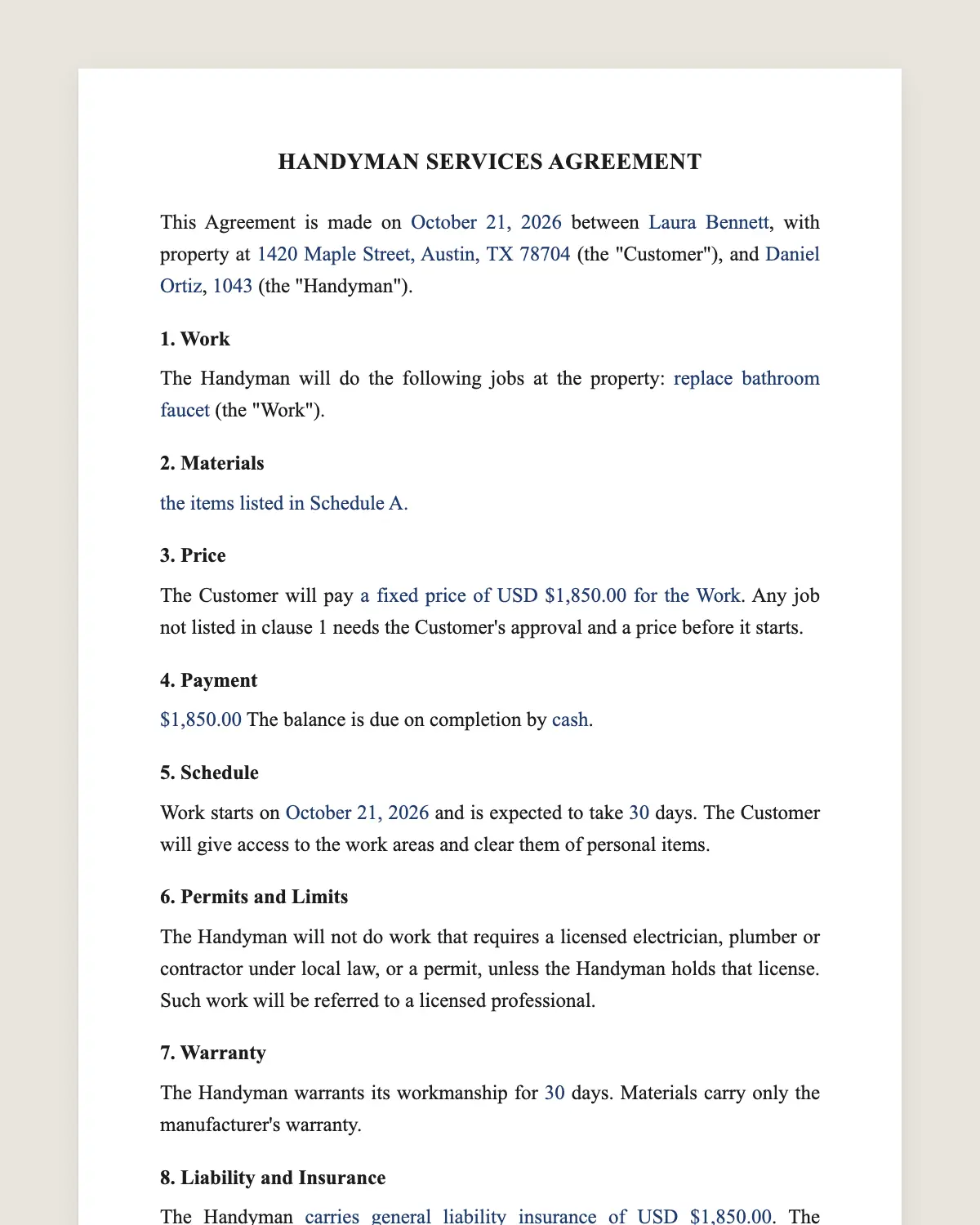
Example filled in with sample data
The full handyman contract
HANDYMAN SERVICES AGREEMENT
This Agreement is made on [date] between [customer name], with property at [address] (the "Customer"), and [handyman name or business], [license number if required] (the "Handyman").
1. Work
The Handyman will do the following jobs at the property: [list each job, for example: replace bathroom faucet, patch and paint two drywall holes, install three ceiling fans] (the "Work").
2. Materials
[The Handyman will buy the materials and charge their cost plus [percentage]%, with receipts. / The Customer will supply these materials: [list].]
3. Price
The Customer will pay [a fixed price of USD [amount] for the Work / USD [rate] per hour, estimated at [number] hours, with a minimum of [number] hours]. Any job not listed in clause 1 needs the Customer's approval and a price before it starts.
4. Payment
[Deposit of USD [amount] for materials on signing.] The balance is due on completion by [cash / card / bank transfer / payment app].
5. Schedule
Work starts on [date] and is expected to take [number] days. The Customer will give access to the work areas and clear them of personal items.
6. Permits and Limits
The Handyman will not do work that requires a licensed electrician, plumber or contractor under local law, or a permit, unless the Handyman holds that license. Such work will be referred to a licensed professional.
7. Warranty
The Handyman warrants its workmanship for [number] days. Materials carry only the manufacturer's warranty.
8. Liability and Insurance
The Handyman [carries general liability insurance of USD [amount] / does not carry insurance]. The Handyman is not responsible for pre-existing conditions found during the Work, such as hidden water damage or old wiring, which will be reported to the Customer.
9. Cancellation
The Customer may cancel before work starts and get the deposit back, less materials already bought. [Insert any cancellation notice your state requires for work sold at the home.]
10. Governing Law and Signatures
This Agreement is governed by the laws of the State of [state]. The parties agree to sign it electronically.
Customer
Name: [name]
Signature: ______________
Date: [date]
Handyman
Name: [name]
Signature: ______________
Date: [date]
What the template includes
Customer, property address and handyman
List of jobs
Who buys the materials
Fixed price or hourly rate with minimum
Approval for extra jobs
Deposit and final payment
Start date and access
Work that needs a licensed trade
Workmanship warranty
Insurance and pre-existing conditions
Cancellation and governing law
What you fill in
Field
Example
Customer
Gloria Simmons
Property
718 Birch St, Nashville, TN 37206
Handyman
Fix-It Frank LLC
Work
Replace faucet, patch 2 drywall holes, mount 65-inch TV
Materials
Handyman buys, cost plus 10%
Price
USD 75 per hour, estimated 6 hours
Deposit
USD 150 for materials
Warranty
90 days
How it gets signed
1Choose «Use this template», fill in the fields and review the full handyman contract.
2Send it by WhatsApp or email. The other party opens the link on their phone without an account.
3They tap the brown bar at the bottom that says «Sign as …» and draw their signature once.
4Everyone gets the signed PDF with its signature certificate. Anyone can check it at signsolu.com/verificar.
The signing screen tells each signer that signing means agreeing to sign electronically. It links to the electronic signature disclosure that the ESIGN Act asks for.
What you get once everyone signs
The signed PDF. The final handyman contract with every drawn signature in place.
The signature certificate. It lists each signer and the date and time of each signature.
A record you can check. The folio on the certificate opens the document history at signsolu.com/verificar.
Reminders. Turn them on and SignSolú reminds every signer who has not signed yet.
Your first ten documents are free and need no card.
What the law says
Handyman work is governed by state contract law and by state licensing rules. Many states set a dollar limit above which a contractor license is required.
Licensed trades like electrical and plumbing usually need a licensed professional and a permit, even for small jobs. Clause 6 keeps the handyman inside those limits.
Contracts signed at the customer's home can carry a right to cancel. The federal rule for door-to-door sales and several state laws set those notices. Clause 9 has room for them.
The ESIGN Act, 15 U.S.C. 7001 gives an electronic signature the same legal effect as one on paper. A contract cannot be denied effect only because it was signed electronically.
Hourly or fixed price
Hourly fits repairs where you cannot see the problem until you open the wall. Set a minimum so short trips pay off.
Fixed price fits jobs you have done many times, like mounting a TV or replacing a faucet. Customers prefer knowing the total.
A list of small jobs often works best at a fixed price per job. Write each one in clause 1 with its price.
Why a short contract protects a handyman
Handyman jobs are small, so many start with a text message. Then the customer adds jobs and disputes the bill.
A one-page contract sets the list and the price before you start. Extra jobs get their own price under clause 3.
Clause 8 also covers surprises. If you find rotten wood behind the tile, the customer knows it is a new job.
Signing at the customer's door
Fill in the contract on your phone while you look at the work. Send the link to the customer by text.
The customer signs on the spot with a finger. You start work with a signed contract and a clear price.
Save the filled contract as your own template. Your regular jobs and prices are ready for the next customer.
Common mistakes
Taking work above your license. Electrical panels, gas lines and structural work belong to licensed trades.
Buying materials without a deposit. A canceled job leaves you with the bill. Ask for a materials deposit.
No photos. Take photos before and after. They answer most questions about what was there.
Vague job list. «Fix the bathroom» can mean anything. Write each task separately in clause 1.
Getting paid on the last day
Walk through the finished work with the customer before you pack up. Fix small items on the spot.
Collect the balance the same day, as clause 4 says. Customers pay fastest while the work is fresh and they are happy with it.
Keep the signed contract and photos together. Repeat customers and referrals come easier when you can show past work.
Before you sign
Read every clause of the handyman contract with the other party before anyone signs. Change what does not fit your deal.