SignSolú

Construction contract template: free in Word, or sign it online

Reviewed in October 2026

A construction contract is the agreement between a property owner and a contractor for building or remodeling work. It sets the scope, the price, the payment schedule and the timeline. It also covers change orders, permits, insurance and warranty.

Ten documents free, no card. Signed by the owner and the contractor.

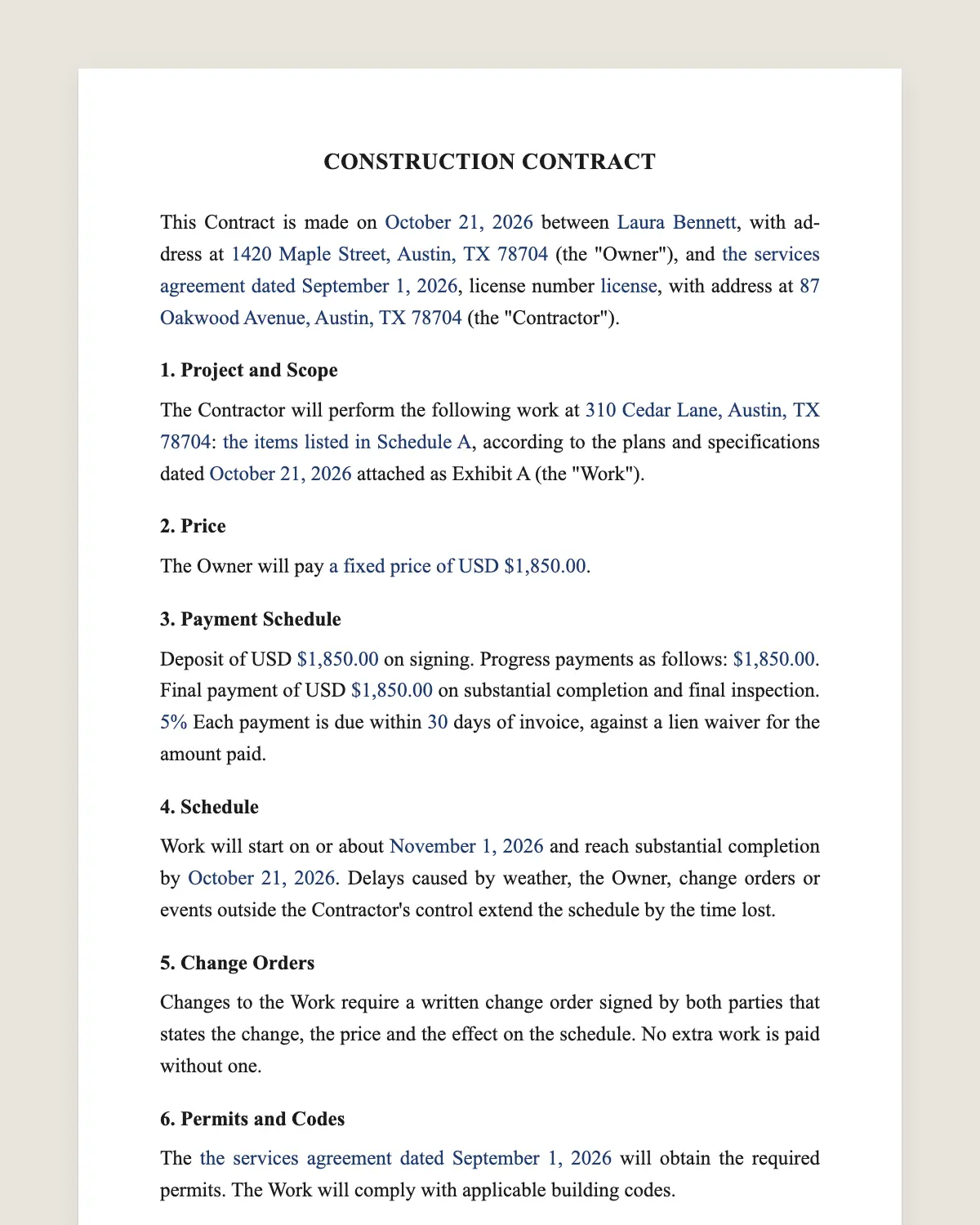
Construction contract example, filled in with sample data
Example filled in with sample data

The full construction contract

CONSTRUCTION CONTRACT

This Contract is made on [date] between [owner name], with address at [address] (the "Owner"), and [contractor name], license number [license], with address at [address] (the "Contractor").

1. Project and Scope

The Contractor will perform the following work at [property address]: [description of the work], according to the plans and specifications dated [date] attached as Exhibit A (the "Work").

2. Price

The Owner will pay [a fixed price of USD [amount] / the cost of the Work plus a fee of [percentage]%, with a guaranteed maximum of USD [amount]].

3. Payment Schedule

Deposit of USD [amount] on signing. Progress payments as follows: [milestone and amount for each]. Final payment of USD [amount] on substantial completion and final inspection. [Retention of [percentage]% held until completion.] Each payment is due within [number] days of invoice, against a lien waiver for the amount paid.

4. Schedule

Work will start on or about [start date] and reach substantial completion by [completion date]. Delays caused by weather, the Owner, change orders or events outside the Contractor's control extend the schedule by the time lost.

5. Change Orders

Changes to the Work require a written change order signed by both parties that states the change, the price and the effect on the schedule. No extra work is paid without one.

6. Permits and Codes

The [Contractor / Owner] will obtain the required permits. The Work will comply with applicable building codes.

7. Insurance

The Contractor will carry general liability insurance of at least USD [amount] and workers' compensation as required by law, and will provide certificates before starting.

8. Site

The Owner will give access to the property from [hours] on [days]. The Contractor will keep the site reasonably clean and remove debris at the end of the Work.

9. Warranty

The Contractor warrants the Work against defects in workmanship for [one year] from substantial completion and will pass on manufacturer warranties for materials.

10. Termination

Either party may terminate for a material breach not cured within [number] days after written notice. If the Owner terminates, the Owner pays for Work done and materials ordered up to that date.

11. Disputes

The parties will try to resolve disputes by negotiation, then by [mediation / arbitration / the courts of [county, state]].

12. Notices Required by Law

[Insert any notice your state requires in home improvement contracts, such as the right to cancel or lien notices.]

13. Governing Law and Signatures

This Contract is governed by the laws of the State of [state]. The parties agree to sign it electronically.

Owner

Name: [name]

Signature: ______________

Date: [date]

Contractor

Name: [name]

By: [name, title]

Signature: ______________

Date: [date]

What the template includes

  • Owner and contractor, with license number
  • Scope tied to plans and specifications
  • Fixed price or cost plus with a maximum
  • Deposit, progress payments and retention
  • Start date, completion date and delays
  • Written change orders
  • Permits and building codes
  • Insurance and certificates
  • Site access and cleanup
  • Workmanship warranty
  • Termination and dispute resolution
  • Space for state-required notices

What you fill in

FieldExample
OwnerHelen and Robert Kim
ContractorCornerstone Remodeling LLC, license ROC 334521
WorkKitchen remodel with new cabinets, counters and flooring
PriceUSD 58,000 fixed
DepositUSD 5,800
Progress paymentsUSD 17,400 at demolition, USD 23,200 at cabinets installed
Completion dateFebruary 27, 2027
Warranty1 year
StateArizona

How it gets signed

  1. 1Choose «Use this template», fill in the fields and review the full construction contract.
  2. 2Send it by WhatsApp or email. The other party opens the link on their phone without an account.
  3. 3They tap the brown bar at the bottom that says «Sign as …» and draw their signature once.
  4. 4Everyone gets the signed PDF with its signature certificate. Anyone can check it at signsolu.com/verificar.

The signing screen tells each signer that signing means agreeing to sign electronically. It links to the electronic signature disclosure that the ESIGN Act asks for.

What you get once everyone signs

  • The signed PDF. The final construction contract with every drawn signature in place.
  • The signature certificate. It lists each signer and the date and time of each signature.
  • A record you can check. The folio on the certificate opens the document history at signsolu.com/verificar.
  • Reminders. Turn them on and SignSolú reminds every signer who has not signed yet.

Your first ten documents are free and need no card.

What the law says

Construction contracts follow state contract law and the state contractor licensing rules. Many states require a license number on the contract.

Home improvement contracts with homeowners often must include specific notices. Common ones are a right to cancel within three business days and a notice about mechanics liens. Clause 12 is the place for them.

Some states cap the deposit a contractor can take on a home improvement job. Check your state licensing board before setting it.

The ESIGN Act, 15 U.S.C. 7001 gives an electronic signature the same legal effect as one on paper. A contract cannot be denied effect only because it was signed electronically.

Fixed price or cost plus

A fixed price puts the risk of overruns on the contractor. It works when plans are complete.

Cost plus pays the real cost plus a fee. It suits projects where the scope is still moving. A guaranteed maximum price protects the owner.

Clause 2 lets you pick one. Delete the option you do not use before sending.

Change orders keep the project on budget

Most construction disputes start with a change agreed on site and never written down.

Write a change order for every change, even small ones. Each one states the work, the price and the extra days.

Send change orders as signable documents. The owner signs from the phone the same day, and work keeps moving.

Payment schedule that protects both sides

Tie each payment to a visible milestone, like framing done or cabinets installed. Nobody argues about whether a cabinet is in.

Exchange a lien waiver for each payment. The owner knows the money reached the right people.

Keep a small retention until the punch list is done. Five to ten percent is common on commercial work.

Common mistakes

Vague scope. «Remodel kitchen» leaves out brands, finishes and appliances. Attach the plans and a materials list.

No completion date. Without one, the owner has no way to measure delay.

Starting before the permit. Unpermitted work can be ordered torn out. Get the permit first.

Skipping insurance certificates. Ask for them before anyone sets foot on the site.

Closing out the job

Walk the site with the owner and write a punch list of small items left to fix. Set a date to finish them.

Hand over warranties, manuals and the final inspection record. Then exchange the final payment for a final lien waiver.

Keep the signed contract, change orders and waivers together. They are the record if a warranty claim comes up a year later.

Before you sign

Other templates

Frequently asked questions

Is a construction contract signed online legally binding?

Yes. The ESIGN Act gives electronic signatures the same effect as handwritten ones. The signed PDF and its certificate show who signed and when.

Do I need a written contract for a small remodel?

Yes. Many states require written contracts for home improvement above a small amount. It also protects both sides.

Can the homeowner cancel after signing?

Sometimes. Many states give homeowners a few days to cancel contracts signed at home. Add your state's notice in clause 12.

Who gets the building permit?

Usually the contractor. Clause 6 lets you name who is responsible.

Can I sign change orders online too?

Yes. Send each change order as its own document. Both parties sign from the phone.

What warranty should a contractor give?

One year on workmanship is common. Some states set longer periods for new homes, so check your state rules.

Does the other party need a SignSolú account?

No. They open the link on their phone and sign with the brown bar at the bottom.

Can I edit the clauses before sending it?

Yes. After «Use this template» you can change any clause before you send it.

See also

Create a free account and send 10 documents