Contract amendment template: free in Word, or sign it online
Reviewed in October 2026
A contract amendment is a short document that changes an existing contract without rewriting it. It names the original agreement, lists each change and keeps every other clause in force. Both parties sign it, and it becomes part of the original contract.
Ten documents free, no card. Signed by every party to the original contract.
Example filled in with sample data
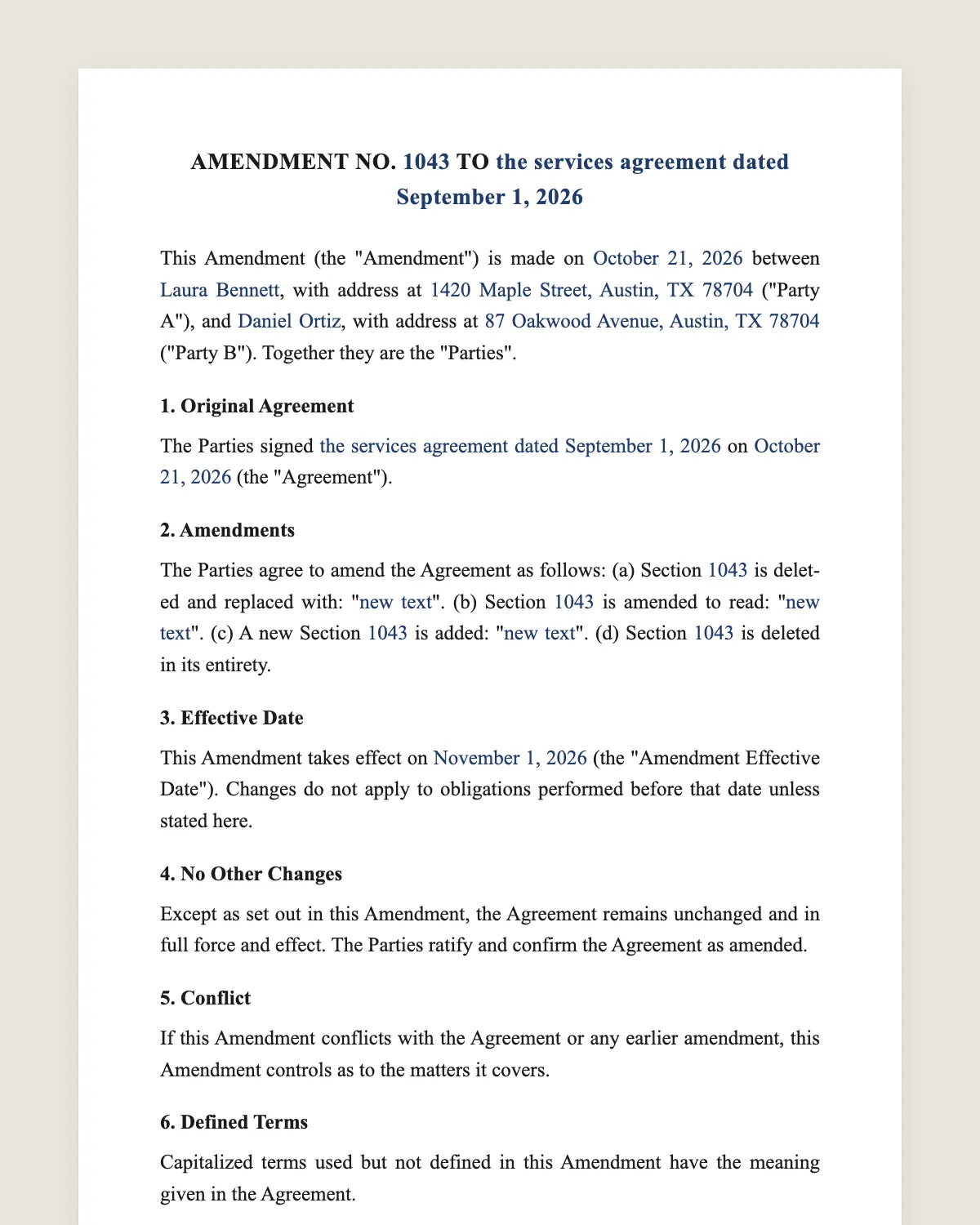
The full contract amendment
AMENDMENT NO. [NUMBER] TO [TITLE OF THE ORIGINAL AGREEMENT]
This Amendment (the "Amendment") is made on [date] between [Party A name], with address at [address] ("Party A"), and [Party B name], with address at [address] ("Party B"). Together they are the "Parties".
1. Original Agreement
The Parties signed [title of the original agreement] on [date of the original agreement] (the "Agreement"). [If it applies: The Agreement was previously amended on [dates].]
2. Amendments
The Parties agree to amend the Agreement as follows: (a) Section [number] is deleted and replaced with: "[new text]". (b) Section [number] is amended to read: "[new text]". (c) A new Section [number] is added: "[new text]". (d) Section [number] is deleted in its entirety.
3. Effective Date
This Amendment takes effect on [effective date] (the "Amendment Effective Date"). Changes do not apply to obligations performed before that date unless stated here.
4. No Other Changes
Except as set out in this Amendment, the Agreement remains unchanged and in full force and effect. The Parties ratify and confirm the Agreement as amended.
5. Conflict
If this Amendment conflicts with the Agreement or any earlier amendment, this Amendment controls as to the matters it covers.
6. Defined Terms
Capitalized terms used but not defined in this Amendment have the meaning given in the Agreement.
7. Representations
Each Party represents that it has the authority to sign this Amendment and that the person signing for it is authorized to do so.
8. Governing Law
This Amendment is governed by the same law that governs the Agreement. [If the Agreement has no governing law clause: the laws of the State of [state].]
9. Counterparts and Electronic Signature
This Amendment may be signed in counterparts. The Parties agree to sign it electronically, and an electronic signature has the same effect as a handwritten one.
Party a
Name: [name]
Signature: ______________
Name and title: [name, title]
Date: [date]
Party b
Name: [name]
Signature: ______________
Name and title: [name, title]
Date: [date]
What the template includes
Amendment number and the title of the original agreement
Names and addresses of the parties, as they appear in the original
Date of the original agreement and of any earlier amendment
Each change as delete, replace, add or amend, with the new wording
Effective date of the changes
Clause that keeps every other term in force
Rule for conflicts between the amendment and the original
Defined terms carried over from the original
Authority of each signer
Governing law and consent to sign electronically
What you fill in
Field
Example
Amendment number
2
Original agreement
Master Services Agreement
Original date
March 3, 2026
Party A
Brightline Logistics LLC
Party B
Carla Méndez Design Studio
Change
Section 4.1 fee goes from USD 3,000 to USD 3,600 a month
Effective date
November 1, 2026
Governing law
Same as the original agreement
How it gets signed
1Choose «Use this template», fill in the fields and review the full contract amendment.
2Send it by WhatsApp or email. The other party opens the link on their phone without an account.
3They tap the brown bar at the bottom that says «Sign as …» and draw their signature once.
4Everyone gets the signed PDF with its signature certificate. Anyone can check it at signsolu.com/verificar.
The signing screen tells each signer that signing means agreeing to sign electronically. It links to the electronic signature disclosure that the ESIGN Act asks for.
What you get once everyone signs
The signed PDF. The final contract amendment with every drawn signature in place.
The signature certificate. It lists each signer and the date and time of each signature.
A record you can check. The folio on the certificate opens the document history at signsolu.com/verificar.
Reminders. Turn them on and SignSolú reminds every signer who has not signed yet.
Your first ten documents are free and need no card.
What the law says
A contract amendment is itself a contract. State contract law decides whether it binds the parties. Courts look for agreement from every party and something of value exchanged, or a modification the original contract already allows.
Read the amendment clause of your original agreement first. Many contracts say changes must be in writing and signed by both parties. A signed amendment meets that rule. A verbal change or an email thread may not.
The ESIGN Act, 15 U.S.C. 7001 gives an electronic signature the same legal effect as one on paper. A contract cannot be denied effect only because it was signed electronically.
The same law lists exceptions in 15 U.S.C. 7003. Wills, family law matters and court documents are among them. An amendment to a business contract is not.
When to use a contract amendment
Use an amendment when both parties agree to change a term of a signed contract. The most common changes are price, term, scope and deadlines.
Price. A supplier raises its monthly fee from the next billing cycle.
Term. A service contract that ends in December now runs until June.
Scope. A design project adds a second website to the deliverables.
Parties. A company changes its legal name after a merger.
Payment. Net 30 terms move to net 45 for a large customer.
Sign the amendment before the change starts. A signed document beats a memory of what was agreed on a call.
Amendment or addendum
An amendment changes terms that already exist in the contract. Use it to raise a fee, extend a deadline or rewrite a clause.
An addendum adds something new that the contract did not cover. A pet clause added to a lease is a typical addendum.
This template works for both. Use clause 2(c) to add a new section, and the document reads as an addendum.
How to write each change
Quote the section number and write the full new wording. Avoid phrases like «the fee is increased a bit». A judge will read the exact words, so leave no room for doubt.
Delete and replace a whole section when the change is large. It is easier to read than a list of struck words.
Number your amendments in order. Amendment No. 3 tells everyone that two came before it.
Common mistakes
Changing the names of the parties. Use the exact legal names from the original agreement. A new company name needs its own clause.
Leaving out the effective date. Without it, nobody knows whether last month's invoice follows the old fee or the new one.
Signing with only one party. Every party to the original contract signs the amendment. Missing one can leave the change unenforceable against them.
Rewriting the whole contract. If most clauses change, sign an amended and restated agreement instead. It replaces the original in one document.
How to keep amendments in order
Keep the original contract and every amendment in the same folder. Read them together, oldest first, to know the terms in force today.
SignSolú keeps each signed amendment with its certificate. Search by the name of the other party to find the whole history.
Mention the earlier amendments in clause 1 of each new one. Anyone who reads Amendment No. 3 then knows where to look for the first two.
Send a short note with the amendment that explains the change in plain words. The other party signs faster when they know what changed and why.
Before you sign
Read every clause of the contract amendment with the other party before anyone signs. Change what does not fit your deal.