Memorandum of understanding template: free in Word, or sign it online
Reviewed in October 2026
A memorandum of understanding, or MOU, is a written record of what two or more parties plan to do together. It sets the goals, the roles and the next steps before a final contract. Most of an MOU is not binding, but some clauses can be.
Ten documents free, no card. Signed by every party to the MOU.
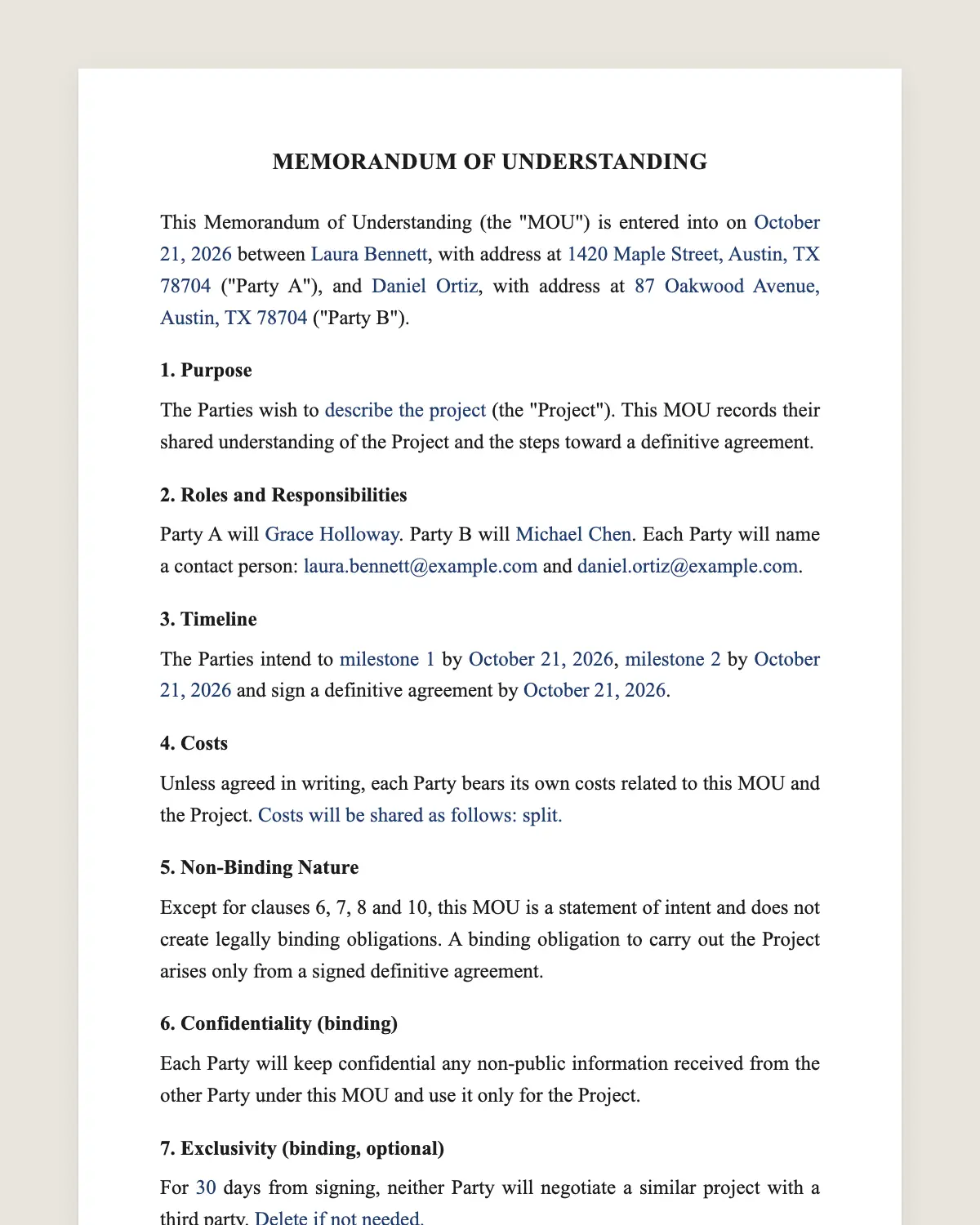
Example filled in with sample data
The full memorandum of understanding
MEMORANDUM OF UNDERSTANDING
This Memorandum of Understanding (the "MOU") is entered into on [date] between [Party A name], with address at [address] ("Party A"), and [Party B name], with address at [address] ("Party B").
1. Purpose
The Parties wish to [describe the project, program or collaboration] (the "Project"). This MOU records their shared understanding of the Project and the steps toward a definitive agreement.
2. Roles and Responsibilities
Party A will [responsibilities of Party A]. Party B will [responsibilities of Party B]. Each Party will name a contact person: [name and email for Party A] and [name and email for Party B].
3. Timeline
The Parties intend to [milestone 1] by [date], [milestone 2] by [date] and sign a definitive agreement by [date].
4. Costs
Unless agreed in writing, each Party bears its own costs related to this MOU and the Project. [Or: Costs will be shared as follows: [split].]
5. Non-Binding Nature
Except for clauses 6, 7, 8 and 10, this MOU is a statement of intent and does not create legally binding obligations. A binding obligation to carry out the Project arises only from a signed definitive agreement.
6. Confidentiality (binding)
Each Party will keep confidential any non-public information received from the other Party under this MOU and use it only for the Project.
7. Exclusivity (binding, optional)
For [number] days from signing, neither Party will negotiate a similar project with a third party. [Delete if not needed.]
8. Term and Termination (binding)
This MOU starts on the date above and ends on [end date] or on the signing of a definitive agreement. Either Party may end it with [number] days written notice.
9. Amendments
This MOU may be changed only in writing signed by both Parties.
10. Governing Law and Signatures (binding)
This MOU is governed by the laws of [state or country]. The Parties agree to sign it electronically.
Party a
Name: [name]
Signature: ______________
Title: [title]
Date: [date]
Party b
Name: [name]
Signature: ______________
Title: [title]
Date: [date]
What the template includes
Names of the parties and the date
Purpose of the project
Roles, responsibilities and contact people
Timeline with milestones
Who pays which costs
Clause that says what is and is not binding
Binding confidentiality
Optional exclusivity period
Term and how to end the MOU
Governing law and electronic signature
What you fill in
Field
Example
Party A
Riverside Community College
Party B
Greenfield Solar Cooperative
Project
Paid internship program for 12 students a year
Party A role
Selects students and grants academic credit
Party B role
Hosts students and pays USD 18 an hour
Definitive agreement by
February 28, 2027
End date
June 30, 2027
How it gets signed
1Choose «Use this template», fill in the fields and review the full memorandum of understanding.
2Send it by WhatsApp or email. The other party opens the link on their phone without an account.
3They tap the brown bar at the bottom that says «Sign as …» and draw their signature once.
4Everyone gets the signed PDF with its signature certificate. Anyone can check it at signsolu.com/verificar.
The signing screen tells each signer that signing means agreeing to sign electronically. It links to the electronic signature disclosure that the ESIGN Act asks for.
What you get once everyone signs
The signed PDF. The final memorandum of understanding with every drawn signature in place.
The signature certificate. It lists each signer and the date and time of each signature.
A record you can check. The folio on the certificate opens the document history at signsolu.com/verificar.
Reminders. Turn them on and SignSolú reminds every signer who has not signed yet.
Your first ten documents are free and need no card.
What the law says
Whether an MOU binds depends on its words and on how the parties act. Courts read the whole document and ask if the parties meant to be bound.
Clause 5 says plainly which parts are binding. That sentence prevents most disputes about MOUs.
If the MOU has all the essential terms and no clause like that, a court may treat it as a contract. Price, scope and dates are the terms that usually tip the balance.
The ESIGN Act, 15 U.S.C. 7001 gives an electronic signature the same legal effect as one on paper. A contract cannot be denied effect only because it was signed electronically.
When to use an MOU
Use an MOU when the parties agree on the direction but not yet on every detail. It keeps the conversation focused while the final contract gets written.
Partnerships between organizations. A school and a company plan an internship program.
Nonprofits and agencies. Two organizations agree to share data or refer clients.
Early business deals. Two companies plan a joint product before signing a full contract.
International cooperation. Universities, chambers and cities sign MOUs to start exchanges.
MOU, letter of intent or contract
An MOU and a letter of intent do almost the same job. Letters of intent are more common in purchases of companies or property.
A contract binds both parties to perform. An MOU records the plan and binds only the clauses that say so.
If you need the other side to deliver, sign a contract. If you need a shared plan and confidentiality, an MOU is enough.
How to write a useful MOU
Be specific about roles. «Party B will host 12 students a year» beats «Party B will support the program».
Name a contact person on each side. Projects stall when nobody owns the next step.
Put dates on milestones. A timeline turns good intentions into a plan you can track.
Say what is binding. Confidentiality and exclusivity usually are. The project itself usually is not.
Common mistakes
Using an MOU to avoid commitment, then acting as if it binds. Mixed signals give a court room to decide either way.
No end date. An MOU without one can linger for years. Set a date and renew it if the project continues.
Signing with someone without authority. A department head may not be able to bind a university or agency. Ask who signs.
Signing an MOU with several organizations
MOUs often need signatures from directors in different buildings or countries. Paper copies travel slowly.
SignSolú sends the link to each signer by WhatsApp or email. Each one signs from a phone, and everyone receives the same signed PDF.
For a signing ceremony, sign online first and print the final PDF for the photo. The legal copy stays the electronic one.
Review the MOU at each milestone. If the plan changes, sign a short amendment so the record matches what the parties actually do.
When the definitive agreement is ready, refer to the MOU in its opening. That shows the contract replaces the MOU on the same project.
Before you sign
Read every clause of the memorandum of understanding with the other party before anyone signs. Change what does not fit your deal.
Partly. The clauses it marks as binding are enforceable, such as confidentiality. The project itself binds only once a definitive agreement is signed.
What is the difference between an MOU and an MOA?
An MOA, or memorandum of agreement, usually commits the parties more firmly. Many organizations use the names loosely, so the clauses matter more than the title.
Can an MOU have more than two parties?
Yes. Add each party to the opening and the signature block. Each one signs from its own link.
How long does an MOU last?
As long as clause 8 says. One or two years is common, with renewal if the project continues.
Is a memorandum of understanding signed online legally binding?
Yes. The ESIGN Act gives electronic signatures the same effect as handwritten ones. The signed PDF and its certificate show who signed and when.
Does the other party need a SignSolú account?
No. They open the link on their phone and sign with the brown bar at the bottom.
Can I edit the clauses before sending it?
Yes. After «Use this template» you can change any clause before you send it.