SignSolú

Equipment lease agreement template: free in Word, or sign it online

Reviewed in October 2026

An equipment lease agreement lets a business or person use equipment owned by someone else for a fee. It covers construction machines, vehicles, tools, medical devices and office equipment. It sets the rent, the term, who maintains the equipment and who pays if it is damaged.

Ten documents free, no card. Signed by the owner and the renter.

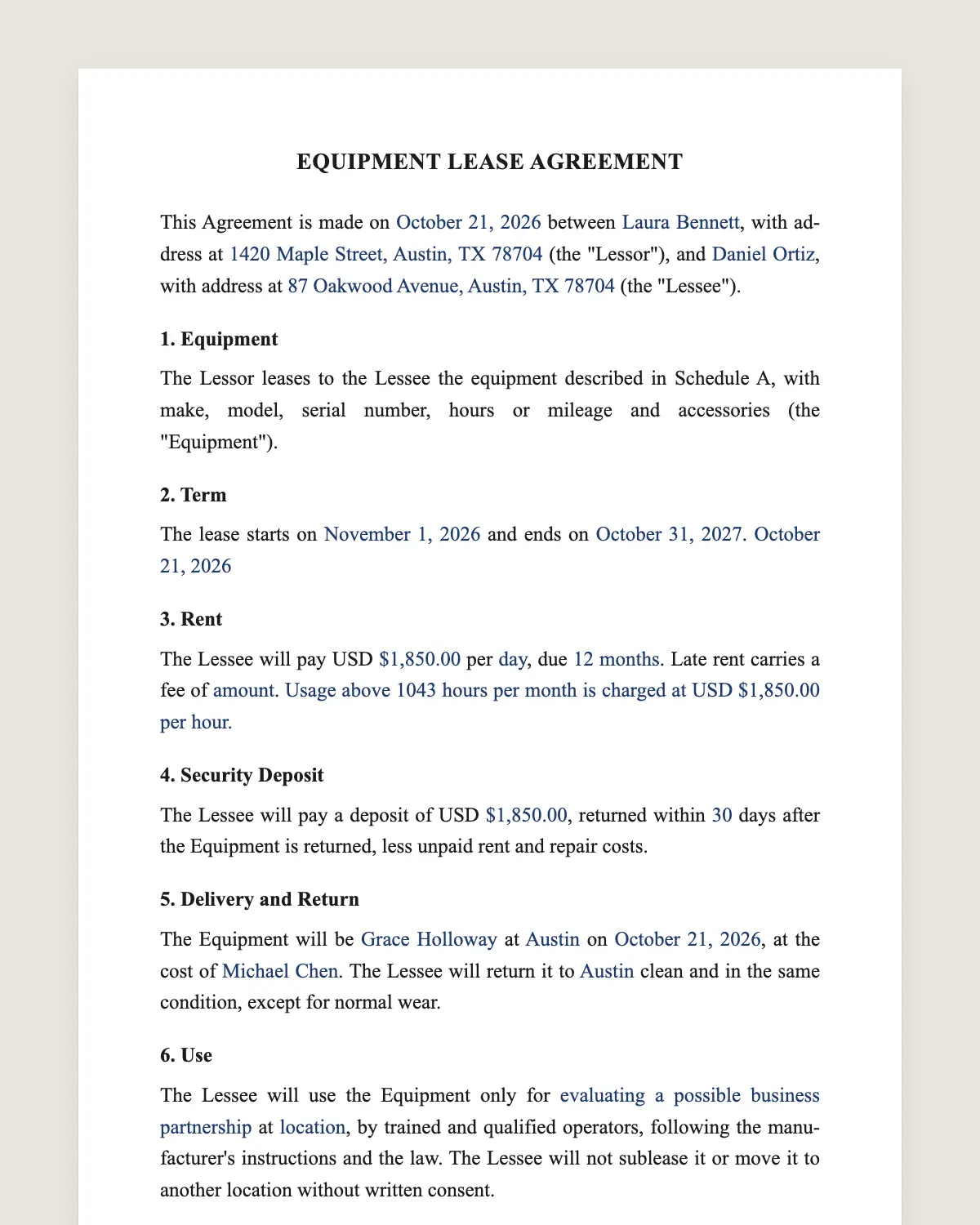
Equipment lease agreement example, filled in with sample data
Example filled in with sample data

The full equipment lease agreement

EQUIPMENT LEASE AGREEMENT

This Agreement is made on [date] between [owner name], with address at [address] (the "Lessor"), and [renter name], with address at [address] (the "Lessee").

1. Equipment

The Lessor leases to the Lessee the equipment described in Schedule A, with make, model, serial number, hours or mileage and accessories (the "Equipment").

2. Term

The lease starts on [start date] and ends on [end date]. [It continues month to month after that until either party gives [number] days notice.]

3. Rent

The Lessee will pay USD [amount] per [day / week / month], due [in advance on the [day] of each period]. Late rent carries a fee of [amount or percentage]. [Usage above [number] hours per month is charged at USD [amount] per hour.]

4. Security Deposit

The Lessee will pay a deposit of USD [amount], returned within [number] days after the Equipment is returned, less unpaid rent and repair costs.

5. Delivery and Return

The Equipment will be [picked up by the Lessee / delivered by the Lessor] at [place] on [date], at the cost of [party]. The Lessee will return it to [place] clean and in the same condition, except for normal wear.

6. Use

The Lessee will use the Equipment only for [purpose] at [location], by trained and qualified operators, following the manufacturer's instructions and the law. The Lessee will not sublease it or move it to another location without written consent.

7. Maintenance and Repairs

[The Lessee will do routine maintenance such as [fuel, fluids, cleaning, daily inspections]. The Lessor will do scheduled service and repair normal breakdowns.] The Lessee pays for damage caused by misuse or negligence.

8. Insurance and Risk of Loss

The Lessee bears the risk of loss, theft or damage while the Equipment is in its possession. The Lessee will insure the Equipment for its replacement value of USD [amount] and carry liability insurance, naming the Lessor as loss payee and additional insured.

9. Ownership

The Lessor keeps title to the Equipment. [Optional: At the end of the term the Lessee may buy the Equipment for USD [amount].]

10. Default

If the Lessee misses a payment or breaks this Agreement and does not cure within [number] days after notice, the Lessor may end the lease and recover the Equipment.

11. Governing Law and Signatures

This Agreement is governed by the laws of the State of [state]. The parties agree to sign it electronically.

Lessor

Name: [name]

Signature: ______________

Date: [date]

Lessee

Name: [name]

Signature: ______________

Date: [date]

What the template includes

  • Owner and renter
  • Equipment with serial numbers, hours and accessories
  • Term and month-to-month option
  • Rent per day, week or month, and extra usage
  • Security deposit
  • Delivery, return and condition
  • Permitted use, operators and location
  • Maintenance and repairs
  • Insurance and risk of loss
  • Ownership and optional purchase
  • Default and recovery

What you fill in

FieldExample
LessorRidgeline Equipment Rentals LLC
LesseeTorres Excavation Inc.
EquipmentMini excavator, model ZX35, serial 4410293, 1,240 hours
TermNovember 9 to December 18, 2026
RentUSD 1,650 per week
DepositUSD 2,500
Usage limit40 hours a week, USD 45 per extra hour
Replacement valueUSD 62,000

How it gets signed

  1. 1Choose «Use this template», fill in the fields and review the full equipment lease agreement.
  2. 2Send it by WhatsApp or email. The other party opens the link on their phone without an account.
  3. 3They tap the brown bar at the bottom that says «Sign as …» and draw their signature once.
  4. 4Everyone gets the signed PDF with its signature certificate. Anyone can check it at signsolu.com/verificar.

The signing screen tells each signer that signing means agreeing to sign electronically. It links to the electronic signature disclosure that the ESIGN Act asks for.

What you get once everyone signs

  • The signed PDF. The final equipment lease agreement with every drawn signature in place.
  • The signature certificate. It lists each signer and the date and time of each signature.
  • A record you can check. The folio on the certificate opens the document history at signsolu.com/verificar.
  • Reminders. Turn them on and SignSolú reminds every signer who has not signed yet.

Your first ten documents are free and need no card.

What the law says

Leases of goods in the United States follow Article 2A of the Uniform Commercial Code as adopted by each state. It covers the rights of the lessor and lessee when the contract is silent.

Some agreements called leases are really sales on credit, for example when the lessee can buy for a nominal price at the end. Those follow different rules, including security interest filings.

The ESIGN Act, 15 U.S.C. 7001 gives an electronic signature the same legal effect as one on paper. A contract cannot be denied effect only because it was signed electronically.

The ESIGN exceptions leave out most of the UCC but keep Articles 2 and 2A. An equipment lease can be signed electronically.

Equipment lease or rental

People use both words for the same thing. Rental usually means days or weeks. Lease usually means months or years.

This template works for both. Set the period in clause 3 and the term in clause 2.

Who uses an equipment lease

  • Contractors renting excavators, lifts and generators for a job.
  • Farmers leasing tractors and harvesters for the season.
  • Clinics leasing imaging and lab equipment.
  • Restaurants leasing ovens, refrigerators and espresso machines.
  • Event companies renting stages, sound and lighting.

Inspect and photograph at pickup and return

Most disputes are about damage. Inspect the equipment together at pickup and at return.

Write the hours, fuel level and any scratches in Schedule A. Take photos with the date.

Sign the condition report at return the same way you signed the lease. Both sides keep the same record.

Common mistakes

No serial number. Without it, you cannot prove which unit was rented. List it in Schedule A.

No insurance certificate. Ask for it before the equipment leaves the yard.

Untrained operators. Heavy equipment needs qualified operators. Clause 6 makes that a condition.

Unclear maintenance. Who changes the oil? Clause 7 settles it before the first breakdown.

Renting to new customers quickly

Rental yards lose jobs when paperwork takes a day. Send the lease by text while the customer is still on the phone.

The customer signs from the job site. You release the equipment with a signed lease and a deposit.

Save one filled lease per machine type as your template. Each new rental needs only the customer, dates and serial number.

Before you sign

Other templates

Frequently asked questions

Is an equipment lease agreement signed online legally binding?

Yes. The ESIGN Act gives electronic signatures the same effect as handwritten ones. The signed PDF and its certificate show who signed and when.

Who pays if the equipment is damaged?

The renter, if the damage comes from misuse or happens while in its possession. Normal wear is the owner's cost.

Does the renter need insurance?

Usually yes. Clause 8 asks for property and liability insurance naming the owner.

Can the renter buy the equipment at the end?

Yes, if clause 9 includes a purchase option and a price.

Can I rent equipment by the day with this template?

Yes. Set a daily rate in clause 3 and the dates in clause 2.

Can the renter move the equipment to another site?

Only with written consent. Clause 6 ties the equipment to the location in the agreement.

Does the other party need a SignSolú account?

No. They open the link on their phone and sign with the brown bar at the bottom.

Can I edit the clauses before sending it?

Yes. After «Use this template» you can change any clause before you send it.

See also

Create a free account and send 10 documents