Equipment bill of sale template: free in Word, or sign it online
Reviewed in October 2026
An equipment bill of sale records the sale of machinery or tools from one owner to another. It is used for tractors, excavators, restaurant equipment, gym machines and tools. It lists each item with its serial number, the price, the condition and any liens.
Ten documents free, no card. Signed by the seller and the buyer.
Example filled in with sample data
The full equipment bill of sale
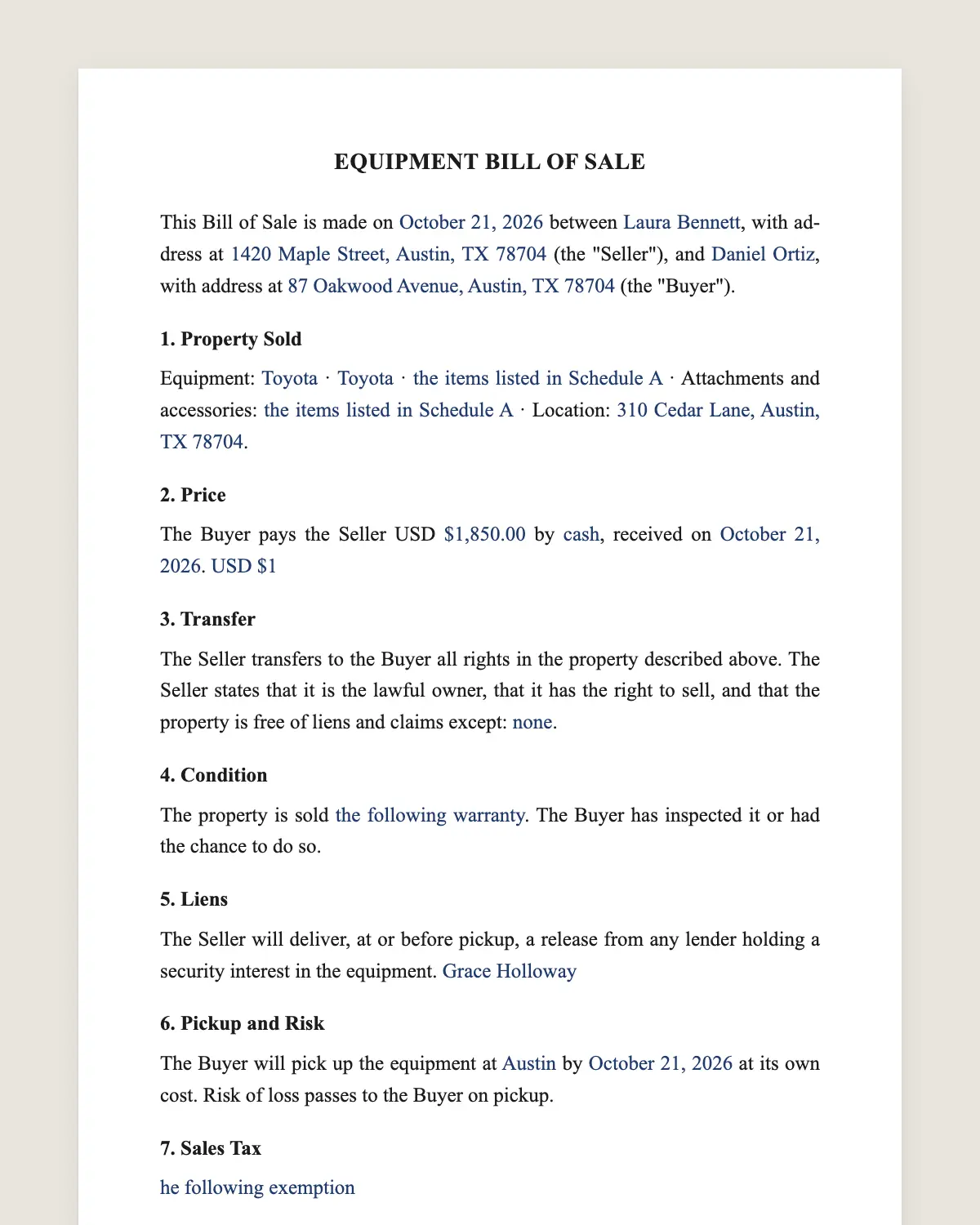
EQUIPMENT BILL OF SALE
This Bill of Sale is made on [date] between [seller name], with address at [address] (the "Seller"), and [buyer name], with address at [address] (the "Buyer").
1. Property Sold
Equipment: [item 1: make, model, year, serial number, hours] · [item 2: make, model, year, serial number] · [additional items listed in Schedule A] · Attachments and accessories: [list] · Location: [address where the equipment is].
2. Price
The Buyer pays the Seller USD [amount] by [cash / cashier's check / bank transfer / payment app], received on [date]. [Or: USD [amount] today and the balance of USD [amount] by [date].]
3. Transfer
The Seller transfers to the Buyer all rights in the property described above. The Seller states that it is the lawful owner, that it has the right to sell, and that the property is free of liens and claims except: [none / describe].
4. Condition
The property is sold [as is, with no warranty of condition / with the following warranty: [details]]. The Buyer has inspected it or had the chance to do so.
5. Liens
The Seller will deliver, at or before pickup, a release from any lender holding a security interest in the equipment. [The Seller has searched the [state] UCC filings on [date] and found no liens.]
6. Pickup and Risk
The Buyer will pick up the equipment at [place] by [date] at its own cost. Risk of loss passes to the Buyer on pickup.
7. Sales Tax
[The Buyer pays any sales or use tax. / The Buyer claims the following exemption: [details], with a certificate.]
8. Responsibility After Delivery
From the date and time of delivery, the Buyer is responsible for the property, its use, taxes, registration, insurance and any fines or tolls. The Seller remains responsible for anything that happened before delivery.
9. Governing Law and Signatures
This Bill of Sale is governed by the laws of the State of [state]. The parties agree to sign it electronically.
Seller
Name: [name]
Signature: ______________
Date: [date]
Buyer
Name: [name]
Signature: ______________
Date: [date]
What the template includes
Seller and buyer
Each item with make, model, year and serial number
Hours on engines and machines
Attachments and accessories
Price and payment
Ownership statement and lien release
As is or with warranty
Pickup, cost and risk of loss
Sales tax or exemption
What you fill in
Field
Example
Seller
Henderson Farms LLC
Buyer
Jacob Miller
Equipment
2016 John Deere 5075E tractor, serial 1LV5075ECGG401234, 2,180 hours
Attachments
Front loader and 6 ft rotary cutter
Price
USD 38,000 by bank transfer
Liens
None found in UCC search on November 3, 2026
Pickup
By November 12, 2026, buyer's cost
Condition
As is
How it gets signed
1Choose «Use this template», fill in the fields and review the full equipment bill of sale.
2Send it by WhatsApp or email. The other party opens the link on their phone without an account.
3They tap the brown bar at the bottom that says «Sign as …» and draw their signature once.
4Everyone gets the signed PDF with its signature certificate. Anyone can check it at signsolu.com/verificar.
The signing screen tells each signer that signing means agreeing to sign electronically. It links to the electronic signature disclosure that the ESIGN Act asks for.
What you get once everyone signs
The signed PDF. The final equipment bill of sale with every drawn signature in place.
The signature certificate. It lists each signer and the date and time of each signature.
A record you can check. The folio on the certificate opens the document history at signsolu.com/verificar.
Reminders. Turn them on and SignSolú reminds every signer who has not signed yet.
Your first ten documents are free and need no card.
What the law says
A sale of equipment is a sale of goods under Article 2 of the Uniform Commercial Code in each state. Unless the parties agree otherwise, Article 2 adds implied warranties. «As is» language removes most of them.
Lenders often file a UCC financing statement on equipment they finance. Search the state filing system before you pay, and ask the seller for a lien release.
Some heavy equipment and farm machinery is titled or registered in a few states. Most is not.
The ESIGN Act, 15 U.S.C. 7001 gives an electronic signature the same legal effect as one on paper. A contract cannot be denied effect only because it was signed electronically.
Medical and dental: chairs, X-ray units, sterilizers.
Shop and gym: lifts, compressors, presses, treadmills.
Check for liens before paying
Financed equipment can carry a lender's security interest. If the seller stops paying, the lender may come after the equipment, even in your yard.
Search the UCC filings in the seller's state by the seller's legal name. Most states let you search online for free or a small fee.
If you find a lien, pay the lender directly from the price. Get the release in writing before pickup.
Selling several items at once
Businesses closing or upgrading often sell many items together. List each one with its serial number in Schedule A.
Write a price per item if taxes or depreciation matter. Your accountant will ask for it.
Take photos of each item and attach them. They settle questions about what was included.
Common mistakes
No serial numbers. Two tractors of the same model look identical on paper.
Ignoring sales tax. Some states charge tax on used equipment sold by a business. Settle it in clause 7.
Loose pickup terms. Equipment left in the seller's yard for weeks causes friction. Set a pickup date.
Signing from the yard or the field
Equipment deals close where the equipment is, not in an office. Fill in the bill of sale on your phone.
Send the link to the buyer, who signs on the spot. Both of you get the signed PDF before the trailer leaves.
Records the buyer should keep
Keep the signed bill of sale, the lien search and any release together. Lenders and insurers ask for proof of ownership when you finance or insure the equipment.
Ask the seller for maintenance records and manuals. They raise the resale value when your turn comes to sell.
Add the equipment to your fixed asset list with its price and date. Your accountant uses that for depreciation.
Before you sign
Read every clause of the equipment bill of sale with the other party before anyone signs. Change what does not fit your deal.