SignSolú

Business sale agreement template: free in Word, or sign it online

Reviewed in October 2026

A business sale agreement is the contract to sell a small business from one owner to another. This template is an asset sale, where the buyer takes the equipment, inventory, name and customers. It sets the price, what is included, the closing and the seller's promises.

Ten documents free, no card. Signed by the seller and the buyer.

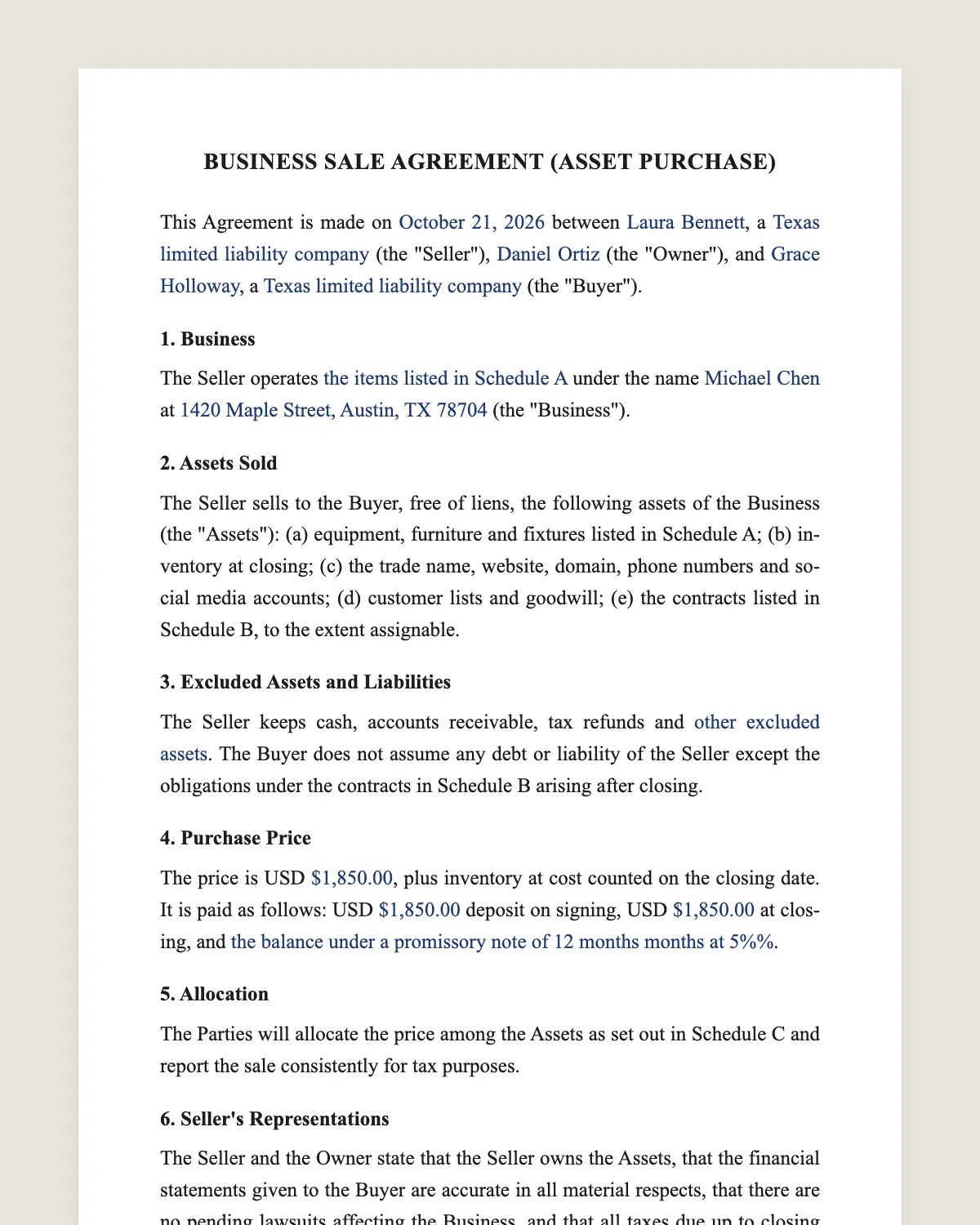
Business sale agreement example, filled in with sample data
Example filled in with sample data

The full business sale agreement

BUSINESS SALE AGREEMENT (ASSET PURCHASE)

This Agreement is made on [date] between [seller name], a [state] [entity type] (the "Seller"), [owner name] (the "Owner"), and [buyer name], a [state] [entity type] (the "Buyer").

1. Business

The Seller operates [business description] under the name [trade name] at [address] (the "Business").

2. Assets Sold

The Seller sells to the Buyer, free of liens, the following assets of the Business (the "Assets"): (a) equipment, furniture and fixtures listed in Schedule A; (b) inventory at closing; (c) the trade name, website, domain, phone numbers and social media accounts; (d) customer lists and goodwill; (e) the contracts listed in Schedule B, to the extent assignable.

3. Excluded Assets and Liabilities

The Seller keeps cash, accounts receivable, tax refunds and [other excluded assets]. The Buyer does not assume any debt or liability of the Seller except the obligations under the contracts in Schedule B arising after closing.

4. Purchase Price

The price is USD [amount], plus inventory at cost counted on the closing date. It is paid as follows: USD [amount] deposit on signing, USD [amount] at closing, and [the balance under a promissory note of [months] months at [rate]% / none].

5. Allocation

The Parties will allocate the price among the Assets as set out in Schedule C and report the sale consistently for tax purposes.

6. Seller's Representations

The Seller and the Owner state that the Seller owns the Assets, that the financial statements given to the Buyer are accurate in all material respects, that there are no pending lawsuits affecting the Business, and that all taxes due up to closing are paid or will be paid by the Seller.

7. Due Diligence

The Buyer may review the books, leases, permits and contracts of the Business until [date]. The Buyer may cancel by written notice before that date and recover the deposit.

8. Closing

Closing takes place on [closing date]. The Seller delivers a bill of sale, assignments of the contracts, the keys, passwords and records. The Buyer pays the closing amount.

9. Non-Compete

For [number] years after closing, the Seller and the Owner will not run a competing business within [miles] miles of [address], nor solicit its customers or employees.

10. Transition

The Owner will help the Buyer for [number] weeks after closing, up to [hours] hours a week, at no extra cost.

11. Indemnity

The Seller and the Owner will indemnify the Buyer for losses caused by a breach of clause 6 or by liabilities kept by the Seller.

12. Governing Law and Signatures

This Agreement is governed by the laws of the State of [state]. The Parties agree to sign it electronically.

Seller

Name: [name]

By: [name, title]

Signature: ______________

Date: [date]

Owner

Name: [name]

Signature: ______________

Date: [date]

Buyer

Name: [name]

By: [name, title]

Signature: ______________

Date: [date]

What the template includes

  • Seller company, owner and buyer
  • Description of the business
  • Assets sold, with schedules for equipment and contracts
  • Assets and debts the seller keeps
  • Price, inventory adjustment and payment plan
  • Tax allocation of the price
  • Seller and owner representations
  • Due diligence period with right to cancel
  • Closing deliveries
  • Non-compete and non-solicitation
  • Owner transition help
  • Indemnity and governing law

What you fill in

FieldExample
SellerSunrise Coffee House LLC
OwnerPatricia Nguyen
BuyerBean There Ventures LLC
BusinessCafé with 40 seats at 220 Main St, Boise, ID
PriceUSD 185,000 plus inventory at cost
PaymentUSD 15,000 deposit, USD 120,000 at closing, USD 50,000 note over 24 months
Closing dateJanuary 15, 2027
Non-compete3 years within 10 miles
Transition4 weeks, up to 15 hours a week

How it gets signed

  1. 1Choose «Use this template», fill in the fields and review the full business sale agreement.
  2. 2Send it by WhatsApp or email. The other party opens the link on their phone without an account.
  3. 3They tap the brown bar at the bottom that says «Sign as …» and draw their signature once.
  4. 4Everyone gets the signed PDF with its signature certificate. Anyone can check it at signsolu.com/verificar.

The signing screen tells each signer that signing means agreeing to sign electronically. It links to the electronic signature disclosure that the ESIGN Act asks for.

What you get once everyone signs

  • The signed PDF. The final business sale agreement with every drawn signature in place.
  • The signature certificate. It lists each signer and the date and time of each signature.
  • A record you can check. The folio on the certificate opens the document history at signsolu.com/verificar.
  • Reminders. Turn them on and SignSolú reminds every signer who has not signed yet.

Your first ten documents are free and need no card.

What the law says

The sale of a business is governed by state contract law. A signed written agreement is the standard practice, and the bill of sale at closing transfers the assets.

Non-compete rules change by state. Most states enforce a reasonable non-compete tied to the sale of a business, even where employee non-competes are limited. Check your state before setting the term and distance.

Some states have bulk sale or tax clearance rules for business sales. The buyer may be liable for the seller's unpaid sales tax without a clearance certificate. Ask your state tax agency before closing.

The ESIGN Act, 15 U.S.C. 7001 gives an electronic signature the same legal effect as one on paper. A contract cannot be denied effect only because it was signed electronically.

Asset sale or stock sale

In an asset sale the buyer picks the assets and leaves the old debts with the seller. Most small business sales work this way.

In a stock or membership sale the buyer buys the company itself, with everything inside. Contracts and permits stay in place, but so do hidden liabilities.

This template is an asset sale. For a stock sale, the price and the representations change a lot, so ask a lawyer.

What to check before signing

  1. 1Three years of tax returns and monthly sales reports.
  2. 2The lease, and whether the landlord must approve a new tenant.
  3. 3Licenses and permits that do not transfer and must be applied for again.
  4. 4Liens on equipment, searched in the state UCC filing system.
  5. 5Key contracts with suppliers and customers, and whether they can be assigned.

Clause 7 gives the buyer time to review all of this. Use the full period before releasing the deposit.

Seller financing

Many small businesses sell with part of the price paid over time. The seller becomes a lender to the buyer.

Put the balance in a separate promissory note with a payment schedule. Secure it with the business assets when possible.

Seller financing tells the buyer the seller believes in the business. It also keeps the seller interested in a smooth transition.

Common mistakes

Forgetting the lease. A café without its location is worth little. Get the landlord's consent before closing.

No inventory count. Count it together on closing day and sign the count sheet.

Leaving out online accounts. The domain, social media and review profiles are part of the goodwill. List them in clause 2.

Only the company signs. The owner should sign too, so the non-compete and the promises bind them personally.

After the closing

The buyer registers the trade name, opens new accounts and applies for permits in its own name.

The seller files final tax returns and closes its accounts. Keep the signed agreement and bill of sale for at least seven years.

Before you sign

  • Read every clause of the business sale agreement with the other party before anyone signs. Change what does not fit your deal.
  • Check how electronic signatures are recognized where you sign in the e-signature validity guide by country.
  • Learn how anyone can confirm a signed document at signsolu.com/verificar.
  • Make an online signature once and use the PNG on any PDF, contract or email. It is free and needs no account.

Other templates

Frequently asked questions

Is a business sale agreement signed online legally binding?

Yes. The ESIGN Act gives electronic signatures the same effect as handwritten ones. The signed PDF and its certificate show who signed and when.

Does the buyer take on the seller's debts?

No. In this asset sale the seller keeps its debts, except obligations under contracts the buyer accepts.

Do I need a bill of sale too?

Yes. The bill of sale is the closing document that transfers the assets listed in the agreement.

Is a non-compete enforceable in a business sale?

Usually yes, if the time and area are reasonable. State rules vary, so set them with your state in mind.

Can the price be paid in installments?

Yes. Clause 4 allows a promissory note for the balance with the terms you choose.

Does the other party need a SignSolú account?

No. They open the link on their phone and sign with the brown bar at the bottom.

Can I edit the clauses before sending it?

Yes. After «Use this template» you can change any clause before you send it.

See also

Create a free account and send 10 documents