Consent letter for GST registration: free in Word, or sign it online
Reviewed in October 2026
A consent letter for GST registration is a letter where the owner of a property allows a business to use it as its place of business. It is needed when the applicant does not own the premises, for example a rented office or a family home. The owner signs it, and the applicant uploads it during GST registration with proof of ownership.
Ten documents free, no card. Signed by the owner of the premises.
Example filled in with sample data
The full GST consent letter
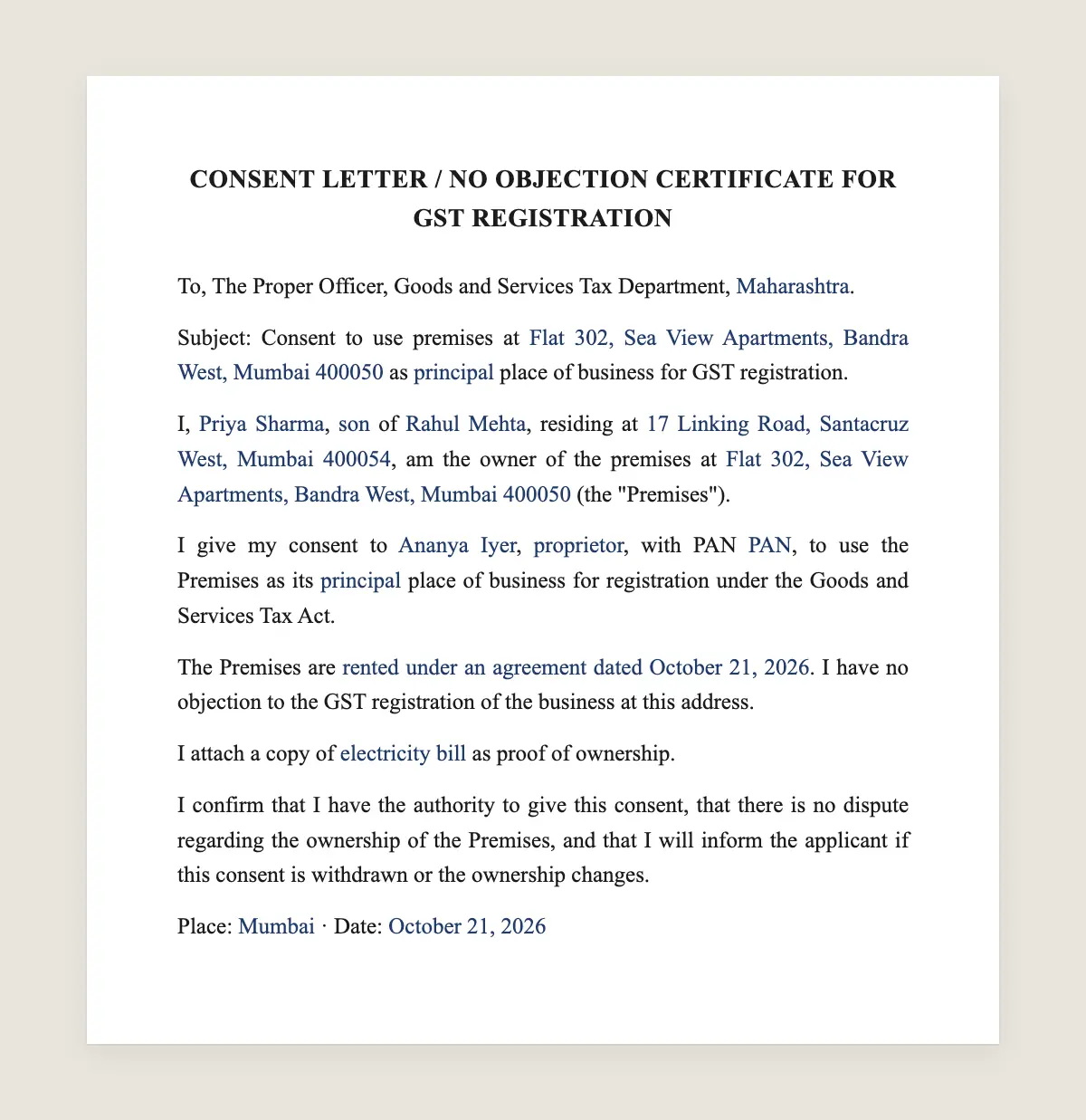
CONSENT LETTER / NO OBJECTION CERTIFICATE FOR GST REGISTRATION
To, The Proper Officer, Goods and Services Tax Department, [State].
Subject: Consent to use premises at [full address with PIN code] as [principal / additional] place of business for GST registration.
I, [owner full name], [son / daughter / wife] of [father's or husband's name], residing at [owner address], am the owner of the premises at [full address of premises with PIN code] (the "Premises").
I give my consent to [applicant name / business name], [proprietor / partnership / company], with PAN [PAN], to use the Premises as its [principal / additional] place of business for registration under the Goods and Services Tax Act.
The Premises are [rented under an agreement dated [date] / given free of rent as the applicant is my [relationship]]. I have no objection to the GST registration of the business at this address.
I attach a copy of [electricity bill / property tax receipt / municipal khata] as proof of ownership.
I confirm that I have the authority to give this consent, that there is no dispute regarding the ownership of the Premises, and that I will inform the applicant if this consent is withdrawn or the ownership changes.
1Choose «Use this template», fill in the fields and review the full GST consent letter.
2Send it by WhatsApp or email. The other party opens the link on their phone without an account.
3They tap the brown bar at the bottom that says «Sign as …» and draw their signature once.
4Everyone gets the signed PDF with its signature certificate. Anyone can check it at signsolu.com/verificar.
What you get once everyone signs
The signed PDF. The final GST consent letter with every drawn signature in place.
The signature certificate. It lists each signer and the date and time of each signature.
A record you can check. The folio on the certificate opens the document history at signsolu.com/verificar.
Reminders. Turn them on and SignSolú reminds every signer who has not signed yet.
Your first ten documents are free and need no card.
What the law says
GST registration asks for proof of the principal place of business. When the applicant does not own the premises, the portal asks for a consent letter or rent agreement along with the owner's proof of ownership.
Section 4 of the Information Technology Act, 2000 says that when a law requires information in writing, an electronic record meets that requirement. Section 5 gives legal recognition to electronic signatures.
A consent letter is not in the First Schedule of the IT Act, which lists the documents the Act does not apply to, such as wills, trusts and powers of attorney. So it can be prepared and signed electronically.
The GST portal takes the letter as an uploaded document. Download the signed PDF and upload it in the place of business section of the application.
When you need a GST consent letter
Family property. A son registers a business at his father's shop or home.
Rent-free premises. A friend or relative lets the business use space for free.
Rented office. Some officers ask for a consent letter along with the rent agreement.
Shared office. A business uses part of another company's premises.
Documents to upload with it
1The signed consent letter from the owner.
2Proof of ownership, such as an electricity bill, property tax receipt or municipal khata in the owner's name.
3The rent agreement, if the premises are rented.
4The owner's identity proof, if the officer asks for it.
How to fill in the letter
Write the premises address exactly as on the electricity bill or tax receipt. A different spelling can lead to a query.
Use the business name and PAN as in the GST application. Say whether the premises are the principal or an additional place of business.
Date the letter close to the application date. Old letters can draw questions.
Signing it when the owner lives elsewhere
Owners often live in another city or abroad. Send the letter by WhatsApp, and the owner signs from the phone.
You receive the signed PDF in minutes, ready to upload. The certificate shows when the owner signed.
Common mistakes
Missing proof of ownership. The letter alone is not enough. Attach a bill or tax receipt in the owner's name.
Owner name not matching the bill. If the bill is in a late parent's name, add the documents that show the current ownership.
Wrong place of business type. Principal and additional places are separate sections in the application.
Unsigned letter. A typed name is not a signature. The owner signs the letter, and the certificate shows when.
Rent agreement or consent letter
A rent agreement is a contract with rent and terms. A consent letter only gives permission to use the address for GST.
When the business pays rent, upload the rent agreement and keep the consent letter as support. When the use is free, the consent letter is the main document.
Some officers ask for both. Keeping both ready avoids a second round of queries.
After the GST registration
Display the GST registration certificate at the premises, as the rules ask. Keep the signed consent letter with your registration records.
If the business moves, file an amendment to the registration with the new address and a new consent letter or rent agreement.
If the owner sells the premises or withdraws consent, the business needs a new place of business. Plan the change before it happens.
Writing the letter for an additional place
Businesses often add a godown, warehouse or branch after registration. Each additional place needs its own proof and, when not owned, its own consent letter.
Use the same template and choose «additional place of business». Upload it with the amendment application.
Keep a list of every place of business with its proof and consent letter. It saves time during audits and later amendments.
Before you sign
Read every clause of the GST consent letter with the other party before anyone signs. Change what does not fit your deal.
Is an electronically signed consent letter accepted for GST?
The IT Act recognizes electronic records and signatures, and a consent letter is not excluded. The portal takes the letter as an uploaded document, so upload the signed PDF.
Who signs the GST consent letter?
The owner of the premises. If there are co-owners, each can sign.
Is a consent letter the same as an NOC?
Yes. People use both names for the owner's no objection letter.
Does the consent letter need stamp paper?
A plain consent letter usually does not. A rent agreement follows the stamp duty rules of your state.
Can a family member give consent?
Yes, if they own the premises. Attach their proof of ownership.
What if the premises have several owners?
Each co-owner can sign the same letter. Add a signature line for each and send each one a link.
Does the other party need a SignSolú account?
No. They open the link on their phone and sign with the brown bar at the bottom.
Can I edit the clauses before sending it?
Yes. After «Use this template» you can change any clause before you send it.