Cohabitation agreement template: free in Word, or sign it online
Reviewed in October 2026
A cohabitation agreement is a contract between partners who live together without being married. It sets who owns what, how rent and bills are split and what happens to the home and shared property if they separate. Unmarried partners usually lack the property rules that apply to spouses, so the agreement fills that gap.
Ten documents free, no card. Signed by both partners.
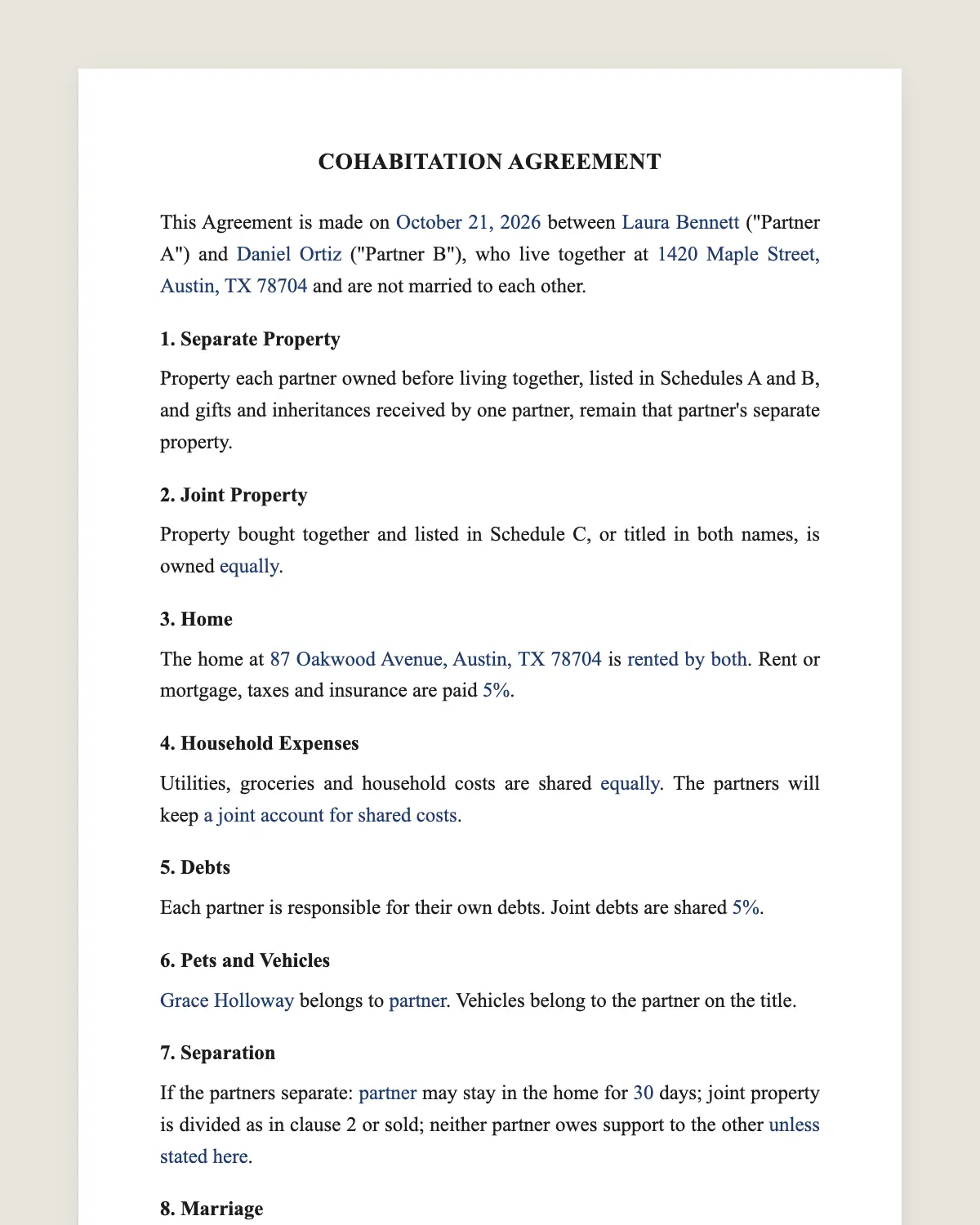
Example filled in with sample data
The full cohabitation agreement
COHABITATION AGREEMENT
This Agreement is made on [date] between [Partner A full name] ("Partner A") and [Partner B full name] ("Partner B"), who live together at [address] and are not married to each other.
1. Separate Property
Property each partner owned before living together, listed in Schedules A and B, and gifts and inheritances received by one partner, remain that partner's separate property.
2. Joint Property
Property bought together and listed in Schedule C, or titled in both names, is owned [equally / in shares of [percentages]].
3. Home
The home at [address] is [rented by both / owned by [partner] / owned jointly]. Rent or mortgage, taxes and insurance are paid [percentages]. [If one partner owns it: the other partner's payments are rent and do not create ownership unless agreed in writing.]
4. Household Expenses
Utilities, groceries and household costs are shared [equally / in proportion to income / as follows]. The partners will keep [a joint account for shared costs / separate accounts].
5. Debts
Each partner is responsible for their own debts. Joint debts are shared [percentages].
6. Pets and Vehicles
[Pet name] belongs to [partner]. Vehicles belong to the partner on the title.
7. Separation
If the partners separate: [partner] may stay in the home for [number] days; joint property is divided as in clause 2 or sold; neither partner owes support to the other [unless stated here].
8. Marriage
If the partners marry, this Agreement [ends / continues as a premarital agreement if it meets state requirements].
9. 8A. Records and Disputes
Each partner will keep receipts for joint purchases. If the partners disagree about this Agreement, they will try mediation before going to court.
10. 8B. Changes
This Agreement may be changed only in writing signed by both partners. The partners will review it after buying a home, having a child or a major change in income.
11. Governing Law and Signatures
This Agreement is governed by the laws of the State of [state]. The partners agree to sign it electronically.
Partner a
Name: [name]
Signature: ______________
Date: [date]
Partner b
Name: [name]
Signature: ______________
Date: [date]
What the template includes
Names of both partners and the home
Separate property, gifts and inheritances
Joint property and shares
Rent or mortgage, taxes and insurance
Household expenses and accounts
Debts
Pets and vehicles
What happens if you separate
What happens if you marry
Governing law and electronic signature
What you fill in
Field
Example
Partner A
Chris Nolan
Partner B
Jordan Lee
Home
Apartment at 77 Lake St, Chicago, IL, rented by both
Rent split
55% Chris, 45% Jordan
Joint property
Furniture and car bought in 2026, 50/50
Separate property
Chris's piano, Jordan's retirement account
If separating
Jordan stays 60 days, joint property sold
If marrying
Agreement ends
How it gets signed
1Choose «Use this template», fill in the fields and review the full cohabitation agreement.
2Send it by WhatsApp or email. The other party opens the link on their phone without an account.
3They tap the brown bar at the bottom that says «Sign as …» and draw their signature once.
4Everyone gets the signed PDF with its signature certificate. Anyone can check it at signsolu.com/verificar.
The signing screen tells each signer that signing means agreeing to sign electronically. It links to the electronic signature disclosure that the ESIGN Act asks for.
What you get once everyone signs
The signed PDF. The final cohabitation agreement with every drawn signature in place.
The signature certificate. It lists each signer and the date and time of each signature.
A record you can check. The folio on the certificate opens the document history at signsolu.com/verificar.
Reminders. Turn them on and SignSolú reminds every signer who has not signed yet.
Your first ten documents are free and need no card.
What the law says
Cohabitation agreements are contracts between unmarried partners. Most states enforce them like other contracts when they deal with property and money.
A few states give unmarried partners limited rights based on the relationship itself, and others give none. A written agreement avoids relying on those rules.
An agreement that looks like payment for a romantic relationship can be refused. Keep the terms about property, money and the home.
The ESIGN Act, 15 U.S.C. 7001 gives an electronic signature the same legal effect as one on paper. A contract cannot be denied effect only because it was signed electronically.
Why unmarried couples sign one
Spouses have state rules for dividing property. Unmarried partners usually do not.
Without an agreement, a couple that separates may fight over who paid for what. The person on the title or the lease often keeps it.
A cohabitation agreement records what each partner brought, what you share and how you split it.
When one partner owns the home
This is the situation that causes the most disputes. The other partner may pay toward the mortgage for years.
Clause 3 says whether those payments are rent or create a share in the home. Decide it now, not when you separate.
If the non-owner pays for a renovation, write down the amount and whether it is repaid.
What to list in the schedules
Accounts, retirement plans and investments.
Vehicles, furniture and valuable items.
Debts like student loans and credit cards.
Anything bought together and how it was paid.
Common mistakes
Not updating it. Buying a home or having a child changes a lot. Sign an amendment.
Mixing in children's matters. Custody and child support follow state law and the courts.
Keeping it vague. «We share everything» settles nothing. Use the schedules.
Signing it online
Fill in the agreement together and send it to both phones. Each partner signs with a drawn signature.
Both receive the same signed PDF. Store it with your lease or deed.
Review it every year or after a big change, such as a new home, a new job or a child. A short amendment keeps it current.
Planning for the unexpected
Unmarried partners do not inherit from each other unless there is a will. A cohabitation agreement does not replace one.
Unmarried partners may also have no say in medical decisions without the right documents. Consider a health care power of attorney for each partner.
Name each other as beneficiaries on retirement accounts and life insurance if that is your wish. Those forms decide who gets the money, not the agreement.
Talk about these topics while you fill in the agreement. It is the easiest moment to plan for both of you.
Keep copies of receipts for large shared purchases. They support the shares written in Schedule C if you ever need to divide things.
Before you sign
Read every clause of the cohabitation agreement with the other party before anyone signs. Change what does not fit your deal.