Separation agreement template: free to fill in and download in Word
A separation agreement is a contract between spouses who live apart. It divides property and debts, sets spousal and child support, and sets a parenting plan. Many couples later file it with a divorce or legal separation so the court can approve it.
Ten documents free, no card. Signed by both spouses.
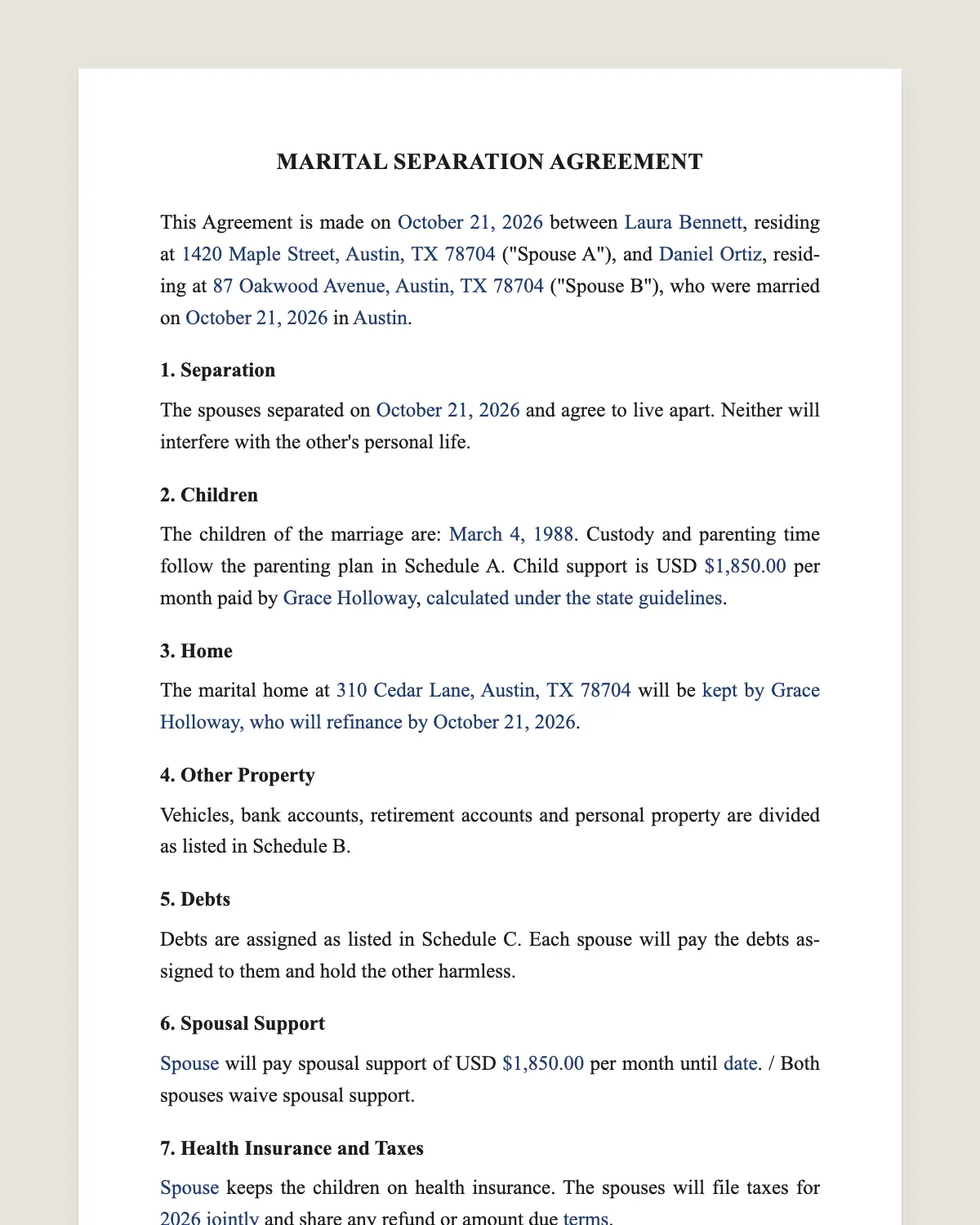
Example filled in with sample data
The full separation agreement
MARITAL SEPARATION AGREEMENT
This Agreement is made on [date] between [Spouse A full name], residing at [address] ("Spouse A"), and [Spouse B full name], residing at [address] ("Spouse B"), who were married on [date] in [place].
1. Separation
The spouses separated on [date] and agree to live apart. Neither will interfere with the other's personal life.
2. Children
The children of the marriage are: [names and dates of birth]. Custody and parenting time follow the parenting plan in Schedule A. Child support is USD [amount] per month paid by [spouse], [calculated under the state guidelines].
3. Home
The marital home at [address] will be [kept by [spouse], who will refinance by [date] / sold, with net proceeds split [percentages]].
4. Other Property
Vehicles, bank accounts, retirement accounts and personal property are divided as listed in Schedule B.
5. Debts
Debts are assigned as listed in Schedule C. Each spouse will pay the debts assigned to them and hold the other harmless.
6. Spousal Support
[Spouse] will pay spousal support of USD [amount] per month until [date or event]. / Both spouses waive spousal support.
7. Health Insurance and Taxes
[Spouse] keeps the children on health insurance. The spouses will file taxes for [year] [jointly / separately] and share any refund or amount due [terms].
8. Disclosure and Voluntary Signing
Each spouse has fully disclosed their income, assets and debts. Each had the opportunity to consult a lawyer and signs voluntarily.
9. Court Approval
The spouses may ask a court to incorporate this Agreement into a judgment of legal separation or divorce. Terms about the children are subject to court approval.
10. Governing Law and Changes
This Agreement is governed by the laws of the State of [state] and may be changed only in writing signed by both spouses, subject to court approval where required.
[NOTARY ACKNOWLEDGMENTS, if your state or court requires them.]
Spouse a
Name: [name]
Signature: ______________
Date: [date]
Spouse b
Name: [name]
Signature: ______________
Date: [date]
What the template includes
Names of the spouses and the marriage date
Date of separation
Children, parenting plan and child support
Family home
Division of other property
Division of debts
Spousal support
Health insurance and taxes
Disclosure and voluntary signing
Court approval and incorporation
Governing law and changes
What you fill in
Field
Example
Spouse A
Rachel Moreno
Spouse B
David Moreno
Married
May 4, 2012, San Antonio, TX
Separated
September 1, 2026
Children
Sofia, 10, and Lucas, 7
Home
Sold, proceeds split 50/50
Child support
USD 1,150 a month by Spouse B
Spousal support
Both waive
How it gets signed
1Choose «Use this template», fill in the fields and review the full separation agreement.
2Send it by WhatsApp or email. The other party opens the link on their phone without an account.
3They tap the brown bar at the bottom that says «Sign as …» and draw their signature once.
4Everyone gets the signed PDF with its signature certificate. Anyone can check it at signsolu.com/verificar.
Separation agreements follow state family law and court rules. Some courts accept electronically signed agreements and others ask for notarized or wet signatures. Agree on the text online, then sign the final version the way your court asks.
What you get once everyone signs
The signed PDF. The final separation agreement with every drawn signature in place.
The signature certificate. It lists each signer and the date and time of each signature.
A record you can check. The folio on the certificate opens the document history at signsolu.com/verificar.
Reminders. Turn them on and SignSolú reminds every signer who has not signed yet.
Your first ten documents are free and need no card.
What the law says
Separation agreements are governed by state family law. Some states have a formal legal separation, and others only recognize separation as a step before divorce.
Courts review terms about children closely. A judge can change custody, parenting time and child support to protect the children's best interest, whatever the agreement says.
Property and support terms are usually enforced if both spouses disclosed their finances and signed freely. Many states require the agreement to be in writing and signed by both.
The ESIGN Act exceptions, 15 U.S.C. 7003, leave out records governed by state law on adoption, divorce and other matters of family law. For this document, state law decides how it must be signed.
Separation agreement and divorce
A separation agreement settles the terms while spouses live apart. It does not end the marriage.
If the couple later divorces, the same agreement often becomes the divorce settlement. The court incorporates it into the judgment.
Some couples never divorce and keep the separation agreement for years. Others reconcile and end it in writing.
What to gather before filling it in
Income. Recent pay stubs and tax returns for both spouses.
Assets. Bank, retirement and investment statements, plus vehicle titles.
Home. The mortgage statement and an estimate of value.
Debts. Credit cards, loans and medical bills.
Children. School schedules, activities and health insurance.
The parenting plan
Schedule A sets where the children live, the weekly schedule, holidays and how parents decide on school and health.
Many states publish a parenting plan form. Use it when your court requires it.
Write the plan around the children's routine, not the parents' convenience. Courts look for that.
Common mistakes
Not disclosing everything. A hidden account can undo the whole agreement.
Leaving the mortgage in both names. Set a date to refinance or sell.
Child support below the state guideline. Courts may reject it.
Signing without advice. Each spouse should talk to a lawyer before signing.
Working through the agreement together
Start with the children. Parents who agree on the parenting plan first usually find the money terms easier.
Fill in the schedules for property and debts next. Use account statements, not memory.
Send the draft back and forth until both spouses accept every clause. SignSolú keeps the final version that each spouse signed, with the date.
A mediator can help when you are stuck on one point. Many courts offer family mediation at low cost.
Before signing, read the final draft side by side with the statements you collected. Every number in the schedules should match a document you can show.
If you reconcile
Couples sometimes get back together after signing. Sign a short written document that ends the separation agreement, so its terms do not come back later.
If property was already divided, decide in that same document whether it stays divided.
Before you sign
Read every clause of the separation agreement with the other party before anyone signs. Change what does not fit your deal.