Custody agreement template: free to fill in and download in Word
A custody agreement is a written plan where parents agree on where the children live, the parenting schedule and how decisions are made. A judge must approve it for it to become a court order. Until then, it records what the parents agreed.
Ten documents free, no card. Signed by both parents.
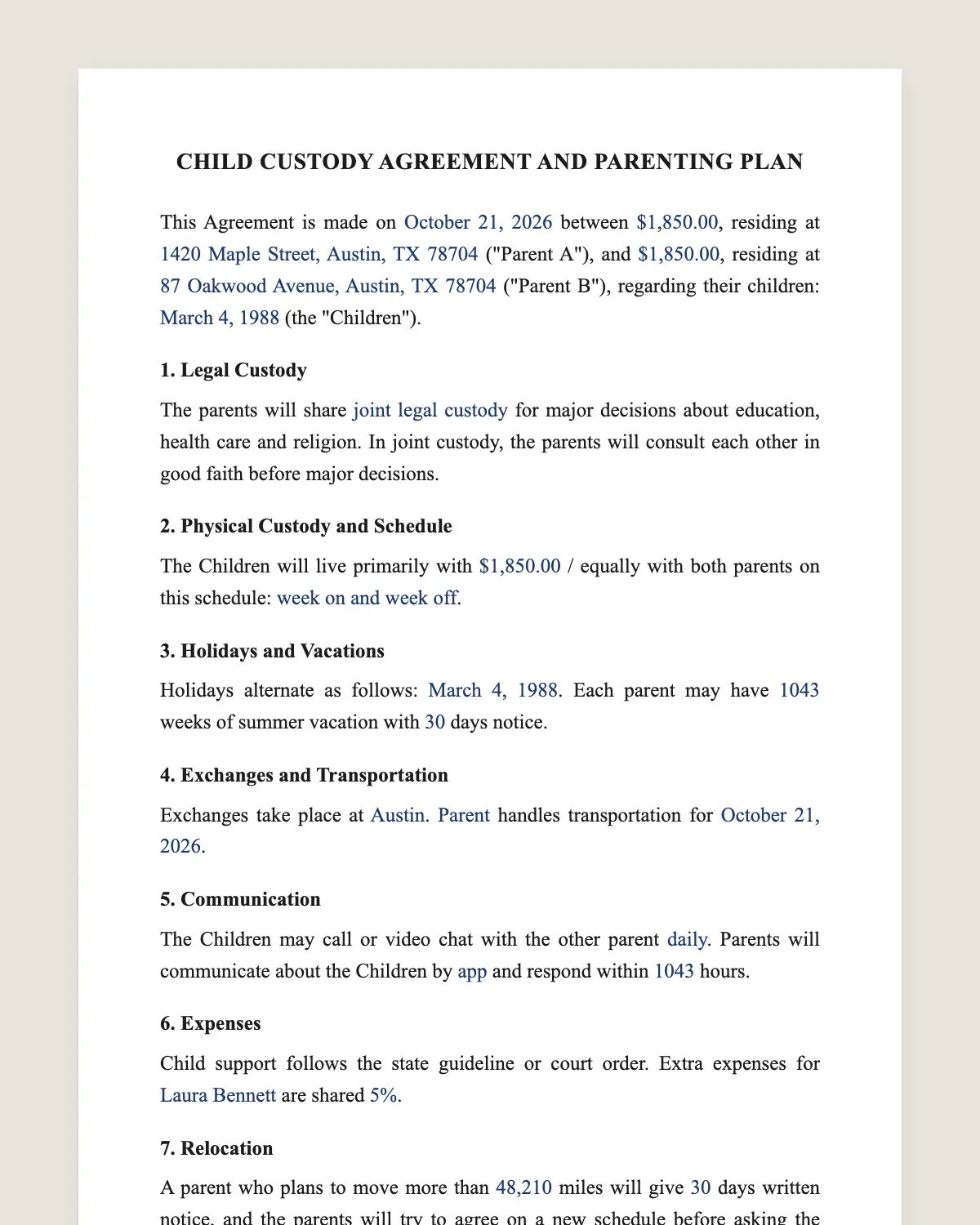
Example filled in with sample data
The full custody agreement
CHILD CUSTODY AGREEMENT AND PARENTING PLAN
This Agreement is made on [date] between [Parent A full name], residing at [address] ("Parent A"), and [Parent B full name], residing at [address] ("Parent B"), regarding their children: [names and dates of birth] (the "Children").
1. Legal Custody
The parents will share [joint legal custody / Parent [A/B] will have sole legal custody] for major decisions about education, health care and religion. In joint custody, the parents will consult each other in good faith before major decisions.
2. Physical Custody and Schedule
The Children will live primarily with [parent] / equally with both parents on this schedule: [for example, week on and week off, exchanged on Fridays at 6 pm / 2-2-3 schedule / every other weekend and Wednesday evenings].
3. Holidays and Vacations
Holidays alternate as follows: [Thanksgiving, winter break, spring break, birthdays, Mother's Day and Father's Day]. Each parent may have [number] weeks of summer vacation with [number] days notice.
4. Exchanges and Transportation
Exchanges take place at [place]. [Parent] handles transportation for [days].
5. Communication
The Children may call or video chat with the other parent [daily / at reasonable times]. Parents will communicate about the Children by [app, email or text] and respond within [number] hours.
6. Expenses
Child support follows the state guideline or court order. Extra expenses for [childcare, activities, uninsured medical costs] are shared [percentages].
7. Relocation
A parent who plans to move more than [miles] miles will give [number] days written notice, and the parents will try to agree on a new schedule before asking the court.
8. Disputes
The parents will try mediation before going to court, except in emergencies.
9. 8A. Travel and Records
A parent traveling out of state with the Children will share the itinerary [number] days ahead. Both parents may get school, medical and activity records directly and attend school events.
10. Court Approval
The parents will file this Agreement with the [court name] for approval. It becomes enforceable as a court order once the court approves it.
Parent a
Name: [name]
Signature: ______________
Date: [date]
Parent b
Name: [name]
Signature: ______________
Date: [date]
What the template includes
Parents and children
Legal custody for major decisions
Physical custody and weekly schedule
Holidays and vacations
Exchanges and transportation
Communication with the children and between parents
Child support and extra expenses
Relocation notice
Mediation before court
Filing for court approval
What you fill in
Field
Example
Parent A
Emily Carter
Parent B
Jason Carter
Children
Ava, 8, and Noah, 5
Legal custody
Joint
Schedule
Week on, week off, exchanges Fridays at 6 pm
Holidays
Thanksgiving and winter break alternate each year
Extra expenses
Split 60/40
Court
Superior Court of Maricopa County
How it gets signed
1Choose «Use this template», fill in the fields and review the full custody agreement.
2Send it by WhatsApp or email. The other party opens the link on their phone without an account.
3They tap the brown bar at the bottom that says «Sign as …» and draw their signature once.
4Everyone gets the signed PDF with its signature certificate. Anyone can check it at signsolu.com/verificar.
A judge approves custody agreements. Agree on the plan online, then file it with the court following its rules on signatures, which may ask for notarized or wet signatures.
What you get once everyone signs
The signed PDF. The final custody agreement with every drawn signature in place.
The signature certificate. It lists each signer and the date and time of each signature.
A record you can check. The folio on the certificate opens the document history at signsolu.com/verificar.
Reminders. Turn them on and SignSolú reminds every signer who has not signed yet.
Your first ten documents are free and need no card.
What the law says
Custody is decided under state law using the best interest of the child standard. Parents can agree on a plan, but the court approves it and can change it.
Many state courts publish their own parenting plan forms and require them. Use the court's form if it has one and copy your agreed terms into it.
A custody agreement approved by the court can be enforced like any court order. Changes later also go through the court.
The ESIGN Act exceptions, 15 U.S.C. 7003, leave out records governed by state law on adoption, divorce and other matters of family law. For this document, state law decides how it must be signed.
Legal and physical custody
Legal custody is about decisions on school, health and religion. Physical custody is about where the children live.
Parents can share one and not the other. Joint legal custody with one main home is a common mix.
Common parenting schedules
Week on, week off. Simple for older children.
2-2-3. Younger children see both parents often.
Every other weekend plus a weeknight. One main home with regular time for the other parent.
Long distance. School year with one parent, most of summer with the other.
Choose the schedule that fits the children's age, school and the distance between homes.
Writing a plan that works day to day
Be specific about times and places. «Fridays at 6 pm at school» prevents arguments that «weekends» does not.
Plan holidays years ahead. Alternating by even and odd years is easy to remember.
Agree on one channel for messages about the children. Keep it about the children.
Common mistakes
Not filing it. An agreement not approved by the court is hard to enforce.
Vague schedules. Missing times and places lead to conflict at every exchange.
Ignoring relocation. A move can upend the schedule. Clause 7 sets the notice.
Copying a plan made for other children. A toddler and a teenager need different schedules. Plan for the children you have.
Steps to get the plan approved
1Agree on the plan together, with a mediator if needed.
2Check whether your court requires its own parenting plan form.
3Copy the agreed terms into that form, or attach this agreement.
4Sign it the way the court asks and file it in your case.
5Follow the court order once the judge signs it.
Keep a copy of the approved order where both parents can find it. Schools and doctors may ask to see who has legal custody.
Updating the plan as children grow
A schedule that works for a five-year-old rarely works for a teenager. Review the plan every couple of years.
Write the changes you agree on and file them with the court. An informal change is hard to enforce if parents disagree later.
Older children often have opinions about the schedule. Courts may consider them, so listen before you change the plan.
Before you sign
Read every clause of the custody agreement with the other party before anyone signs. Change what does not fit your deal.