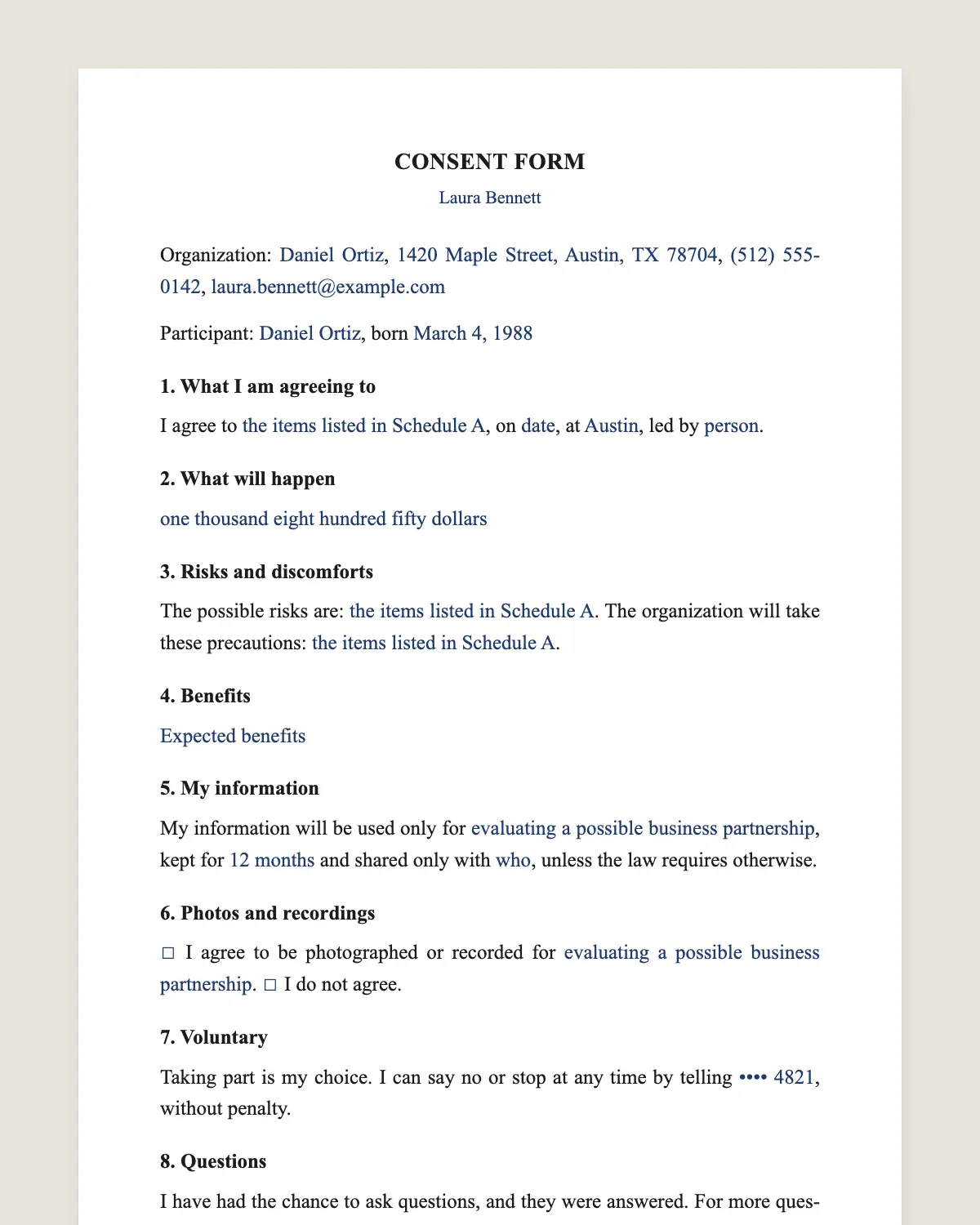
Consent form template: free in Word, or sign it online
Reviewed in October 2026
A consent form is a document where a person agrees, in writing, to take part in an activity or allow something to be done. It explains what will happen, the risks, the person’s rights and how to withdraw. Clinics, schools, coaches and event organizers use one.
Consent is valid when the person understands what they agree to and agrees freely. That is why the form explains the activity, the risks and the right to stop in plain words.
Minors usually cannot consent alone. A parent or legal guardian signs for them. Older minors can also sign to show they agree.
Health care and research consents follow extra federal and state rules. For research, see the research consent form. The ESIGN Act gives electronic signatures on a consent form the same effect as ink.
Consent form, waiver or release
Document
What it does
Consent form
Shows the person agrees to take part and understands what happens
Liability waiver
The person gives up some rights to sue for injuries
Photo release
The person allows use of their image
HIPAA release
The person allows sharing of health records
Many activities use a consent form plus a liability waiver. Keep them separate so each one is clear.
Writing a consent form people understand
Use short sentences and everyday words.
Put the risks in a list, not in a paragraph.
Say clearly that the person can stop at any time.
Give a name and a phone number for questions.
Collecting consent from many people
Classes, events and camps need dozens of forms. Send each family the link by WhatsApp or email. Parents sign from their phones, and every signed form lands in your account with its certificate.
No more paper forms lost in a bag. You can check who has signed before the activity starts.
A worked example
A climbing club runs Saturday classes for teens. It sends the consent form to each parent on Monday.
By Friday every parent has signed from a phone. The coach checks the list on Saturday morning and every climber is covered.
Mistakes to avoid
Hiding the risks. Consent is weaker if the person was not told.
Pressure to sign on the spot. Send the form ahead of time.
No way to withdraw. Clause 7 keeps that right clear.
Sample risk lists by activity
Sports and fitness: sprains, strains, fractures, collisions, heat illness.
Field trips: travel accidents, getting lost, allergic reactions, weather.
Pick the items that fit your activity and add any special risk. A specific list shows you told people what to expect.
Consent for medical and health services
Doctors, dentists and therapists often need consent forms with specific clinical information. State rules and professional standards set what they must include. Use this template as a starting point and add the clinical details your field requires.
Checklist before you send it
1The activity, date and place are filled in.
2Risks are listed one by one.
3The contact for questions is correct.
4The photo box is left for the person to choose.
5A parent block is included for minors.
Then send the link. You can see who has signed and send reminders to the rest.
A filled-in sample
“I agree to indoor climbing classes on Saturdays in November at Riverside Youth Climbing Club, led by certified instructors. I understand the risks of falls, rope burns and sprains, and that helmets and padded floors are used. I can stop at any time.”
Keeping the signed forms
Keep each signed form with the activity records. SignSolú stores them in your account with their certificates, so you can find any form by name or date. Download them for your files or your insurer when asked.
Mistakes with digital consent
One form for the whole family. Each participant needs their own signed form.
Sending the form too late. People sign faster with a few days of notice.
No reminder. A short reminder the day before catches the last families.
SignSolú shows who has not signed yet, so you can remind only those people.
Updating the form
When the activity changes, such as a new place or a new risk, update the form and ask people to sign again. Keep each version so you know which one each person signed.
SignSolú keeps every version with the date each person signed, so you never mix them up.
Yes. The ESIGN Act gives an electronic signature the same legal effect as a handwritten one. The signed PDF and its certificate show who signed the consent form, when and from which device.
Does the participant need a SignSolú account to sign?
No. They open the link on their phone and sign with the brown bar at the bottom of the screen.
Can I download the consent form in Word?
Yes. “Download in Word” gives you the full consent form with no email and no account. You can print it or edit it and sign it here later.
Who signs a consent form for a minor?
A parent or legal guardian. The minor can also sign to show agreement.
Can someone withdraw consent after signing?
Yes. Clause 7 says they can stop at any time without penalty.
How long should I keep signed consent forms?
As long as your field or insurer requires. Many organizations keep them for several years.
Can I combine the consent form and the waiver?
You can, but separate documents are clearer. Courts look closely at waivers, and a clear standalone waiver holds up better.