Party rental contract template: free in Word, or sign it online
Reviewed in October 2026
A party rental contract covers the rental of tables, chairs, tents, bounce houses or other equipment for an event. It lists the items, the delivery and pickup times, the price, the damage deposit and the customer's duties while the items are on site.
Ten documents free, no card. Signed by the rental company and the customer.
Example filled in with sample data
The full party rental contract
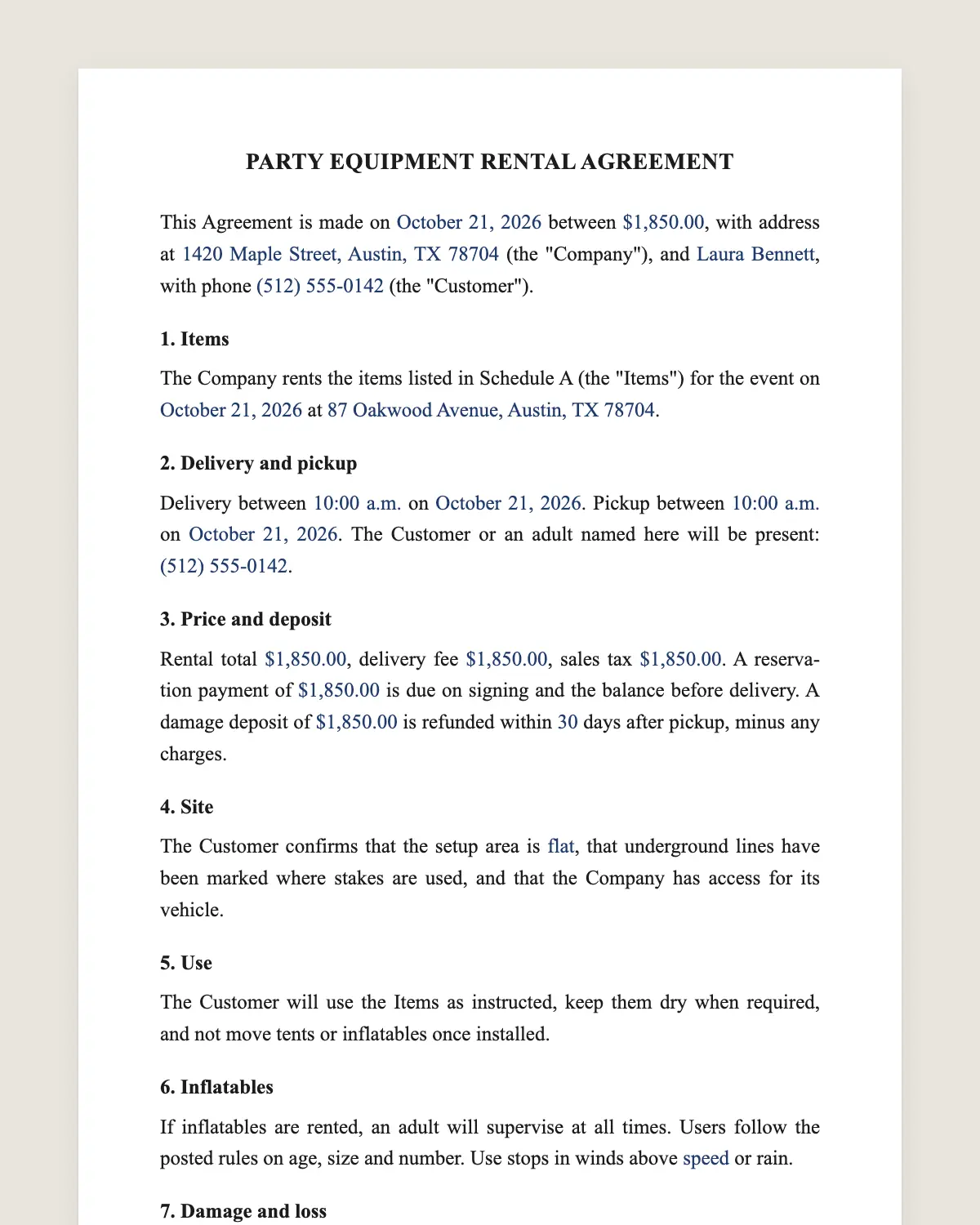
PARTY EQUIPMENT RENTAL AGREEMENT
This Agreement is made on [date] between [Rental company legal name], with address at [address] (the "Company"), and [Customer name], with phone [phone] (the "Customer").
1. Items
The Company rents the items listed in Schedule A (the "Items") for the event on [event date] at [delivery address].
2. Delivery and pickup
Delivery between [time window] on [date]. Pickup between [time window] on [date]. The Customer or an adult named here will be present: [name and phone].
3. Price and deposit
Rental total [amount], delivery fee [amount], sales tax [amount]. A reservation payment of [amount] is due on signing and the balance before delivery. A damage deposit of [amount] is refunded within [number] days after pickup, minus any charges.
4. Site
The Customer confirms that the setup area is [flat, clear of debris, size], that underground lines have been marked where stakes are used, and that the Company has access for its vehicle.
5. Use
The Customer will use the Items as instructed, keep them dry when required, and not move tents or inflatables once installed.
6. Inflatables
If inflatables are rented, an adult will supervise at all times. Users follow the posted rules on age, size and number. Use stops in winds above [speed] or rain.
7. Damage and loss
The Customer pays for loss, theft and damage beyond normal wear, at the replacement cost listed in Schedule A. Cleaning fees apply for stains or excessive dirt.
8. Weather and cancellation
The Customer may cancel up to [number] days before the event for a refund minus [amount]. Weather cancellations on the event day receive a [credit or refund] of [percentage].
9. Assumption of risk
The Customer accepts the risks of using the Items and will supervise guests. The Customer will hold the Company harmless for injuries caused by misuse or lack of supervision.
10. Governing law and signature
This Agreement is governed by the laws of [state]. The parties agree to sign it electronically, with the same effect as a handwritten signature.
Schedule A. Items: [Item] [quantity] [rental price] [replacement cost]
Company
Name: ______________
Date: ______________
Customer
Name: ______________
Date: ______________
What the template includes
Items with quantity, price and replacement cost
Delivery and pickup windows and the adult on site
Reservation payment, balance and damage deposit
Site conditions and marked underground lines
Proper use of the items
Inflatable supervision and weather stops
Damage, loss and cleaning fees
Cancellation and weather credit
Assumption of risk
Governing law and electronic signature
What you fill in
Field
Example
Company
Party Time Rentals LLC
Customer
Olivia Turner
Event date
July 4, 2027
Items
20x30 tent, 10 tables, 80 chairs, 1 bounce house
Delivery
July 3, 2:00 to 6:00 pm
Pickup
July 5, 9:00 am to noon
Total
USD 1,240 plus tax
Damage deposit
USD 200
How it gets signed
1Choose «Use this template», fill in the fields and review the full party rental contract.
2Send it by WhatsApp or email. The other party opens the link on their phone without an account.
3They tap the brown bar at the bottom that says «Sign as …» and draw their signature once.
4Everyone gets the signed PDF with its signature certificate. Anyone can check it at signsolu.com/verificar.
The signing screen tells each signer that signing means agreeing to sign electronically. It links to the electronic signature disclosure that the ESIGN Act asks for.
What you get once everyone signs
The signed PDF. The final party rental contract with every drawn signature in place.
The signature certificate. It lists each signer and the date and time of each signature.
A record you can check. The folio on the certificate opens the document history at signsolu.com/verificar.
Reminders. Turn them on and SignSolú reminds every signer who has not signed yet.
Your first ten documents are free and need no card.
What the law says
Rental of goods is governed by state law, including the rules most states adopted from the Uniform Commercial Code on leases.
Some states regulate inflatable rides and tents above a certain size, through inspections or permits. Check what your state and city ask for before the event.
The ESIGN Act, 15 U.S.C. 7001 gives an electronic signature the same legal effect as one on paper. A contract cannot be denied effect only because it was signed electronically.
Bounce house rentals
Inflatables carry the most risk of any party item. The contract names an adult supervisor and the wind limit for safe use.
Post the rules on the inflatable and walk the customer through them at delivery. A signed contract shows the rules were shared.
Stake or weigh down every inflatable as the manufacturer instructs. Note the method on the delivery checklist.
Tents and site checks
Stakes can hit buried lines. Ask the customer to have lines marked before delivery, as clause 4 requires.
Large tents may need a permit in some cities. Tell the customer early so the paperwork does not hold up the setup.
Getting the deposit back fast
Count the items with the customer at pickup and take photos. Refund the deposit within the days set in clause 3.
Customers who get their deposit back quickly book again and recommend you to friends.
Example of a backyard party order
A family rents a tent, ten tables, eighty chairs and a bounce house for a Fourth of July party. Delivery is the afternoon before and pickup the next morning.
The customer marks the sprinkler lines and signs the contract from her phone. The USD 200 deposit comes back three days after pickup.
Common mistakes
No replacement costs. List them in Schedule A so damage charges are clear.
No adult on site at delivery. Name one in clause 2.
No weather rule. Clause 8 sets what happens when storms arrive.
Delivery day checklist
Walk the setup area with the customer before unloading. Confirm the spot, the power source and the path for the dolly.
Count the items together and note anything already marked or scratched. Both initial the delivery checklist.
Explain the rules for each inflatable and point to the posted signs. Leave a phone number for problems during the event.
At pickup, repeat the count and take photos. The deposit refund follows the checklist, not memory.
Pricing tips
Charge a delivery fee by distance and a setup fee for tents and staging. List both in clause 3 so the total is clear.
Weekend bookings fill first. Some companies offer lower rates for weekday events to keep equipment working.
Ask for the reservation payment with the signed contract. A date is held only when both arrive.
Send the contract from your phone while you are still on the call. Many customers sign before they hang up.
Repeat customers can reuse their last order with new dates.