SignSolú

SaaS agreement template: free in Word, or sign it online

Reviewed in October 2026

A SaaS agreement is the contract between a software provider and the customer who pays to use it online. It sets the subscription fee, what the customer may do with the service, uptime and support, and who owns the data. This template covers a business customer on a monthly or yearly plan.

Ten documents free, no card. Signed by the provider and the customer.

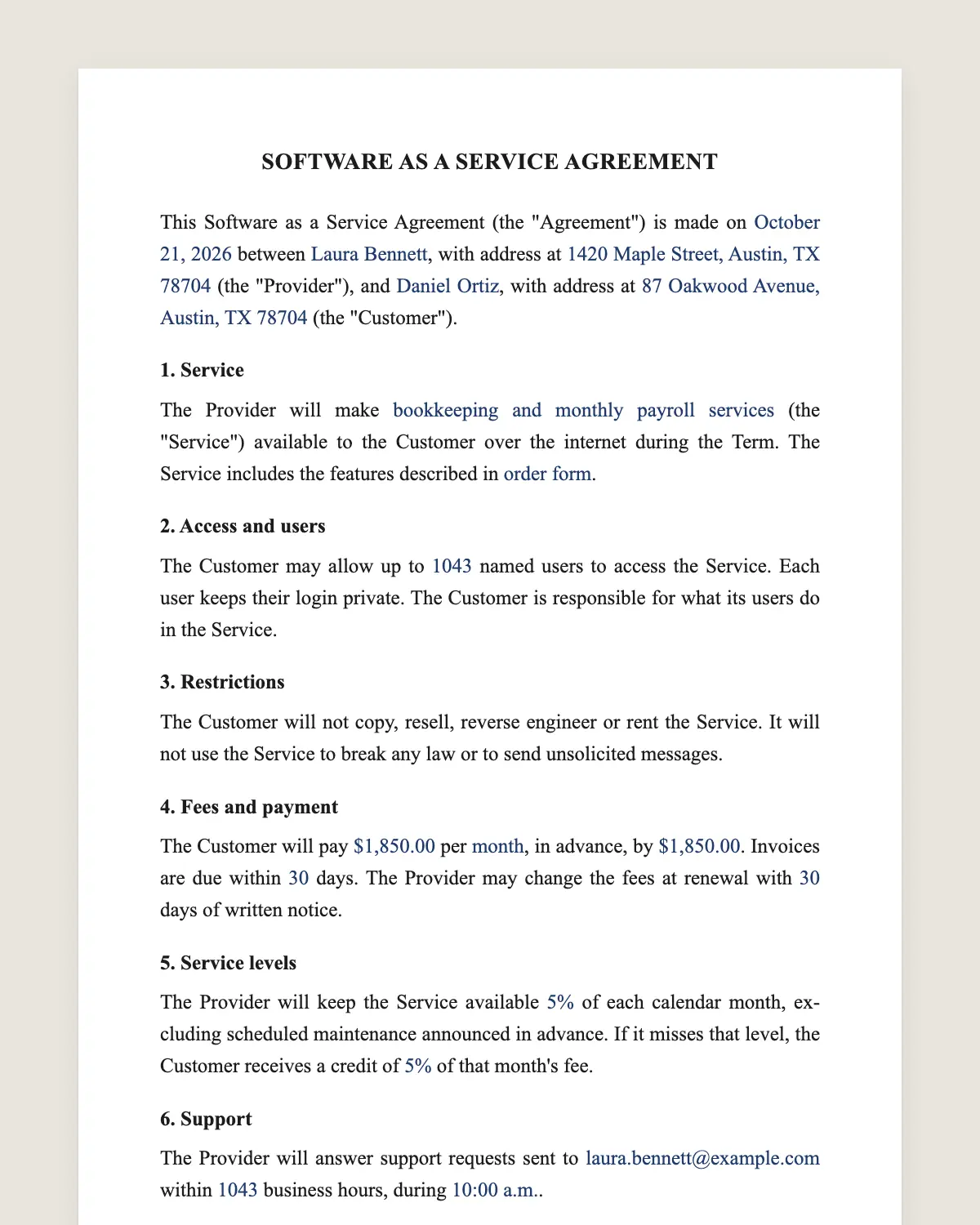
SaaS agreement example, filled in with sample data
Example filled in with sample data

The full SaaS agreement

SOFTWARE AS A SERVICE AGREEMENT

This Software as a Service Agreement (the "Agreement") is made on [date] between [Provider legal name], with address at [address] (the "Provider"), and [Customer legal name], with address at [address] (the "Customer").

1. Service

The Provider will make [name of the service] (the "Service") available to the Customer over the internet during the Term. The Service includes the features described in [order form or plan name].

2. Access and users

The Customer may allow up to [number] named users to access the Service. Each user keeps their login private. The Customer is responsible for what its users do in the Service.

3. Restrictions

The Customer will not copy, resell, reverse engineer or rent the Service. It will not use the Service to break any law or to send unsolicited messages.

4. Fees and payment

The Customer will pay [amount] per [month or year], in advance, by [payment method]. Invoices are due within [number] days. The Provider may change the fees at renewal with [number] days of written notice.

5. Service levels

The Provider will keep the Service available [percentage] of each calendar month, excluding scheduled maintenance announced in advance. If it misses that level, the Customer receives a credit of [percentage] of that month's fee.

6. Support

The Provider will answer support requests sent to [support email] within [number] business hours, during [support hours and time zone].

7. Customer data

The Customer owns all data it enters in the Service. The Provider will use that data only to provide the Service. It will protect it with reasonable security measures and will notify the Customer of any security breach within [number] hours of learning of it.

8. Data export

During the Term and for [number] days after it ends, the Customer may export its data in [format]. After that period the Provider may delete it.

9. Intellectual property

The Provider keeps all rights in the Service, its software and its documentation. This Agreement grants the Customer only the right to use the Service during the Term.

10. Warranties

The Provider warrants that the Service will perform materially as described in its documentation. Apart from that, the Service is provided "as is".

11. Limitation of liability

Neither party is liable for indirect or consequential damages. Each party's total liability is limited to the fees paid in the [number] months before the claim.

12. Term and renewal

This Agreement starts on [start date] and lasts [initial term]. It renews for periods of [renewal term] unless a party gives [number] days of written notice before renewal.

13. Termination

Either party may end this Agreement if the other materially breaches it and does not cure the breach within [number] days of written notice.

14. Governing law

This Agreement is governed by the laws of [state].

15. Electronic signature

The parties agree to sign this Agreement electronically. An electronic signature has the same effect as a handwritten one.

Provider

Name and title: ______________

Date: ______________

Customer

Name and title: ______________

Date: ______________

What the template includes

  • The service and the plan it covers
  • Number of users and responsibility for their accounts
  • Restrictions on copying, resale and misuse
  • Fee, billing period, due date and price changes at renewal
  • Uptime target and service credits
  • Support channel and response time
  • Customer ownership of data, security and breach notice
  • Data export window after the end
  • Provider ownership of the software
  • Warranty and limitation of liability
  • Term, automatic renewal and termination for breach
  • Governing law and consent to sign electronically

What you fill in

FieldExample
ProviderLumen Analytics Inc.
CustomerHarbor Freight Partners LLC
ServiceLumen Dashboards, Growth plan
Users25
FeeUSD 1,200 per month
Uptime99.9%
Service credit10% of the monthly fee
Breach notice72 hours
Export window30 days
Initial term12 months
Governing lawState of Delaware

How it gets signed

  1. 1Choose «Use this template», fill in the fields and review the full SaaS agreement.
  2. 2Send it by WhatsApp or email. The other party opens the link on their phone without an account.
  3. 3They tap the brown bar at the bottom that says «Sign as …» and draw their signature once.
  4. 4Everyone gets the signed PDF with its signature certificate. Anyone can check it at signsolu.com/verificar.

The signing screen tells each signer that signing means agreeing to sign electronically. It links to the electronic signature disclosure that the ESIGN Act asks for.

What you get once everyone signs

  • The signed PDF. The final SaaS agreement with every drawn signature in place.
  • The signature certificate. It lists each signer and the date and time of each signature.
  • A record you can check. The folio on the certificate opens the document history at signsolu.com/verificar.
  • Reminders. Turn them on and SignSolú reminds every signer who has not signed yet.

Your first ten documents are free and need no card.

What the law says

No federal statute governs SaaS contracts as such. The agreement is a contract, so the law of the state you choose in clause 14 decides how courts read it.

The ESIGN Act, 15 U.S.C. 7001 gives an electronic signature the same legal effect as one on paper. A contract cannot be denied effect only because it was signed electronically.

Data clauses may also need to follow privacy laws that apply to your customers. Health, financial and student data each have their own federal rules.

Before you fill it in

  • Pick the plan. Name the plan or attach the order form so the features are clear.
  • Count the users. Decide if the fee is per user or a flat amount.
  • Set a realistic uptime. Promise only what your monitoring can prove each month.
  • Know your data flows. List where customer data is stored and who can reach it.
  • Choose the renewal window. Thirty to sixty days of notice is the usual range.

With those five answers ready, the template takes about ten minutes to fill in. Your customer receives it the same day.

SaaS agreement or terms of service

Terms of service work for self-serve plans where users click to accept. A signed SaaS agreement fits larger accounts that negotiate price, uptime or data terms.

Many providers use both. Small plans accept the online terms. Enterprise customers sign this agreement with their own order form attached.

Clauses customers ask to change

  • Liability cap. Large customers often ask for twelve months of fees instead of three.
  • Breach notice. Security teams usually want 72 hours or less.
  • Price increases. Buyers ask for a ceiling on the increase at each renewal.
  • Data export. They want time and a common format to leave without losing records.

Common mistakes

Promising uptime without a credit. A target with no remedy invites a dispute. State the credit and how the customer claims it.

Leaving data ownership unclear. Say who owns customer data and what happens to it after termination.

Forgetting the renewal notice. Without a notice window, automatic renewal surprises the customer and slows payment.

Before you sign

Other templates

Frequently asked questions

Is a SaaS agreement signed online legally binding?

Yes. The ESIGN Act gives electronic signatures the same effect as handwritten ones. The signed PDF and its certificate show who signed and when.

Is a SaaS agreement the same as a software license?

No. A license lets the customer install a copy. A SaaS agreement gives access to software the provider runs online.

Can I attach an order form or pricing sheet?

Yes. Upload it with the agreement and both documents go out for signature together.

Does the other party need a SignSolú account?

No. They open the link on their phone and sign with the brown bar at the bottom.

Can I edit the clauses before sending it?

Yes. After «Use this template» you can change any clause before you send it.

Who should sign for each company?

An officer or manager with authority to bind the company. Write their name and title under the signature.

Does the SaaS agreement need a data processing agreement too?

Sometimes. Customers in the EU, or those handling health data, often ask for a separate data processing agreement next to this one.

Can the customer sign with their legal team watching?

Yes. Add the legal contact as a viewer or as a second signer before you send it.

See also

Create a free account and send 10 documents