Limited liability partnership agreement: free in Word, or sign it online
Reviewed in October 2026
A limited liability partnership agreement sets the rules among partners of an LLP. It covers capital, profit split, management, new partners and exits. Each partner is generally shielded from the other partners' professional mistakes, which is why law and accounting firms use it.
Ten documents free, no card. Signed by every partner.
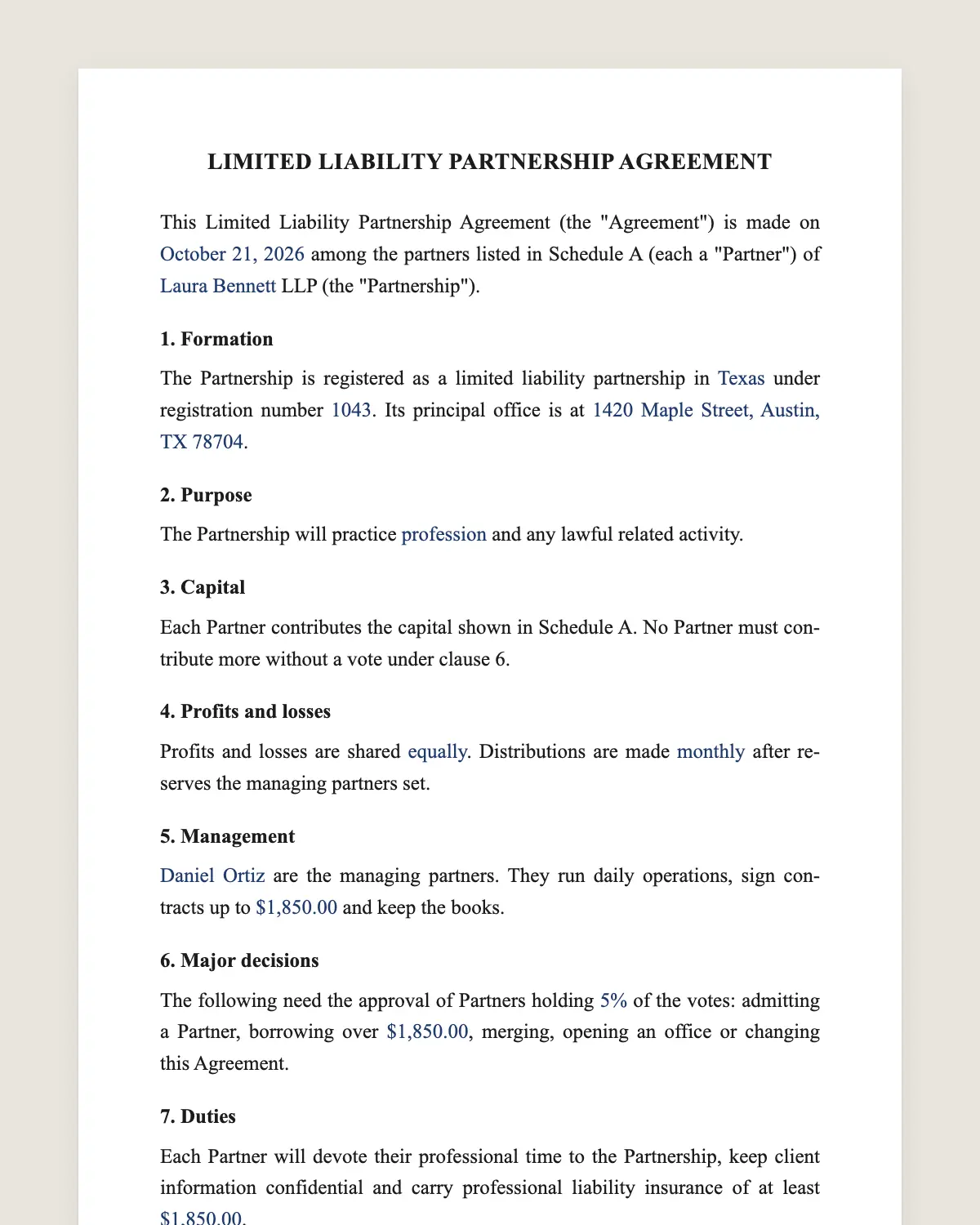
Example filled in with sample data
The full LLP agreement
LIMITED LIABILITY PARTNERSHIP AGREEMENT
This Limited Liability Partnership Agreement (the "Agreement") is made on [date] among the partners listed in Schedule A (each a "Partner") of [Partnership name] LLP (the "Partnership").
1. Formation
The Partnership is registered as a limited liability partnership in [state] under registration number [number]. Its principal office is at [address].
2. Purpose
The Partnership will practice [profession or business] and any lawful related activity.
3. Capital
Each Partner contributes the capital shown in Schedule A. No Partner must contribute more without a vote under clause 6.
4. Profits and losses
Profits and losses are shared [equally or in the percentages of Schedule A]. Distributions are made [monthly or quarterly] after reserves the managing partners set.
5. Management
[Names] are the managing partners. They run daily operations, sign contracts up to [amount] and keep the books.
6. Major decisions
The following need the approval of Partners holding [percentage] of the votes: admitting a Partner, borrowing over [amount], merging, opening an office or changing this Agreement.
7. Duties
Each Partner will devote their professional time to the Partnership, keep client information confidential and carry professional liability insurance of at least [amount].
8. New Partners
A new Partner is admitted by the vote in clause 6 and by signing a joinder to this Agreement.
9. Withdrawal
A Partner may withdraw with [number] days of written notice. The Partnership will pay their capital account in [number] installments.
10. Expulsion
Partners holding [percentage] of the votes may expel a Partner for loss of license, serious misconduct or material breach of this Agreement.
11. Non-solicitation
For [number] months after leaving, a former Partner will not solicit clients or staff of the Partnership.
12. Dissolution
The Partnership dissolves by a vote of [percentage] of the Partners. Assets go first to creditors, then to capital accounts, then by profit share.
13. Governing law and signature
This Agreement is governed by the laws of [state]. The Partners agree to sign it electronically, with the same effect as a handwritten signature.
Schedule A. Partners: [Name] [capital] [profit share] [votes]
Partner
Name: ______________
Date: ______________
What the template includes
Registration of the LLP and principal office
Purpose of the partnership
Capital each partner contributes
Profit split and distribution schedule
Managing partners and their limits
Decisions that need a vote
Duties, confidentiality and insurance
Admission of new partners
Withdrawal and payout of capital
Expulsion for cause
Non-solicitation after leaving
Dissolution order, governing law and electronic signature
What you fill in
Field
Example
Partnership
Reyes Whitman LLP
State
New York
Profession
Accounting and tax advisory
Partners
4
Profit split
Equal shares
Managing partners
Laura Reyes, Tom Whitman
Major decision vote
75%
Insurance
USD 1,000,000 per claim
Withdrawal notice
90 days
How it gets signed
1Choose «Use this template», fill in the fields and review the full LLP agreement.
2Send it by WhatsApp or email. The other party opens the link on their phone without an account.
3They tap the brown bar at the bottom that says «Sign as …» and draw their signature once.
4Everyone gets the signed PDF with its signature certificate. Anyone can check it at signsolu.com/verificar.
The signing screen tells each signer that signing means agreeing to sign electronically. It links to the electronic signature disclosure that the ESIGN Act asks for.
What you get once everyone signs
The signed PDF. The final LLP agreement with every drawn signature in place.
The signature certificate. It lists each signer and the date and time of each signature.
A record you can check. The folio on the certificate opens the document history at signsolu.com/verificar.
Reminders. Turn them on and SignSolú reminds every signer who has not signed yet.
Your first ten documents are free and need no card.
What the law says
Each state has its own partnership statute and decides which professions may form an LLP. The partnership registers with the state before the shield applies.
The liability shield usually covers other partners' errors. A partner stays liable for their own work, which is why clause 7 asks for insurance.
The ESIGN Act, 15 U.S.C. 7001 gives an electronic signature the same legal effect as one on paper. A contract cannot be denied effect only because it was signed electronically.
Before you fill it in
Confirm the registration. The LLP shield applies after the state registers the partnership.
Agree the capital. Write what each partner pays in and when.
Choose managing partners. Name who signs contracts and up to what amount.
Set the insurance floor. Match it to the size of your typical engagement.
Decide the payout. A withdrawing partner's capital usually comes back in installments.
LLP or LLC
An LLC fits most small businesses. An LLP is common in licensed professions where partners share clients but answer for their own work.
Some states allow LLPs only for certain professions. Check your state before you register.
How partners usually split profits
Equal shares are common in young firms. Older firms often use points that change each year with billings or seniority.
Whatever you choose, write it in Schedule A and review it once a year. A schedule nobody updates causes most partner disputes.
Common mistakes
No payout terms. A withdrawing partner needs a schedule, or the firm loses cash at once.
No insurance minimum. The shield does not cover a partner's own errors.
Unsigned joinders. New partners must sign before they share profits.
Admitting a new partner
Most firms admit new partners once a year. The partners vote, the new partner pays their capital and signs a joinder to this agreement.
Update Schedule A on the same day. Profit shares and votes change from the admission date, not from the start of the year.
Send the joinder through SignSolú with every partner as a viewer. Everyone sees the same signed record.
When the firm dissolves
Creditors are paid first. Partners then recover their capital accounts, and anything left is shared by profit percentage.
Write the order of payment in the agreement before any trouble starts. Partners rarely agree on it once the firm is closing.
Client files also need a plan. Many firms name a partner to keep them for the period that their licensing rules require.
Notify clients in writing when the firm dissolves. Each client chooses which former partner keeps their matter.
SignSolú sends those client letters for signature too. Each client confirms their choice from their phone, and the firm keeps the record.
A signed choice from each client closes the file. No former partner has to guess who keeps which matter or which records go with it to the new office.