Work for hire contract template: free in Word, or sign it online
Reviewed in October 2026
A work for hire contract states that the person who pays for a creative work owns it from the start. For independent contractors, US copyright law accepts this only for nine kinds of works and only in a signed writing. That is why this template adds a backup assignment of rights.
Ten documents free, no card. Signed by the client and the contractor.
Example filled in with sample data
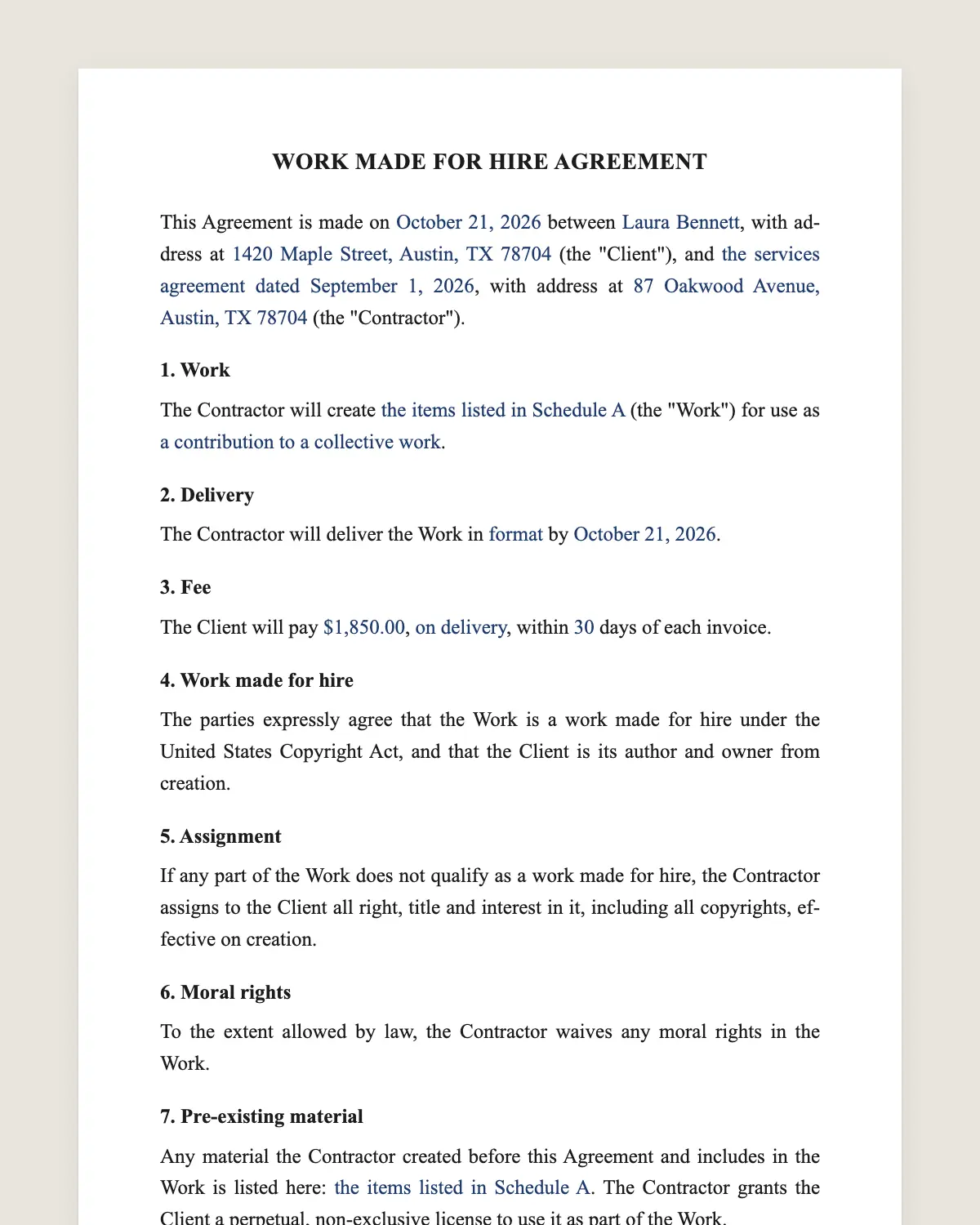
The full work for hire agreement
WORK MADE FOR HIRE AGREEMENT
This Agreement is made on [date] between [Client legal name], with address at [address] (the "Client"), and [Contractor name], with address at [address] (the "Contractor").
1. Work
The Contractor will create [description of the work] (the "Work") for use as [a contribution to a collective work, part of a motion picture or other audiovisual work, a translation, a supplementary work, a compilation, an instructional text, a test, answer material for a test, or an atlas].
2. Delivery
The Contractor will deliver the Work in [format] by [date].
3. Fee
The Client will pay [amount], [on delivery or in installments], within [number] days of each invoice.
4. Work made for hire
The parties expressly agree that the Work is a work made for hire under the United States Copyright Act, and that the Client is its author and owner from creation.
5. Assignment
If any part of the Work does not qualify as a work made for hire, the Contractor assigns to the Client all right, title and interest in it, including all copyrights, effective on creation.
6. Moral rights
To the extent allowed by law, the Contractor waives any moral rights in the Work.
7. Pre-existing material
Any material the Contractor created before this Agreement and includes in the Work is listed here: [list]. The Contractor grants the Client a perpetual, non-exclusive license to use it as part of the Work.
8. Originality
The Contractor states that the Work is original and does not infringe anyone's rights.
9. Confidentiality
The Contractor will keep the Client's materials and the Work confidential until the Client publishes it.
10. Independent contractor
The Contractor is an independent contractor, responsible for its own taxes, tools and schedule.
11. Governing law and signature
This Agreement is governed by the laws of [state]. The parties agree to sign it electronically, with the same effect as a handwritten signature.
Client
Name and title: ______________
Date: ______________
Contractor
Name: ______________
Date: ______________
What the template includes
Description of the work and its category under copyright law
Delivery format and date
Fee and payment timing
Express work-for-hire statement
Backup assignment of all rights
Waiver of moral rights where allowed
License for pre-existing material
Originality warranty
Confidentiality until publication
Contractor status, governing law and electronic signature
What you fill in
Field
Example
Client
Riverbend Learning Inc.
Contractor
Paul Okafor
Work
Illustrations for a math workbook
Category
Contribution to a collective work
Delivery
40 PNG files, by January 15, 2027
Fee
USD 4,000
Pre-existing material
None
How it gets signed
1Choose «Use this template», fill in the fields and review the full work for hire agreement.
2Send it by WhatsApp or email. The other party opens the link on their phone without an account.
3They tap the brown bar at the bottom that says «Sign as …» and draw their signature once.
4Everyone gets the signed PDF with its signature certificate. Anyone can check it at signsolu.com/verificar.
The signing screen tells each signer that signing means agreeing to sign electronically. It links to the electronic signature disclosure that the ESIGN Act asks for.
What you get once everyone signs
The signed PDF. The final work for hire agreement with every drawn signature in place.
The signature certificate. It lists each signer and the date and time of each signature.
A record you can check. The folio on the certificate opens the document history at signsolu.com/verificar.
Reminders. Turn them on and SignSolú reminds every signer who has not signed yet.
Your first ten documents are free and need no card.
What the law says
17 U.S.C. 101 defines a work made for hire in two ways. The first is a work prepared by an employee within the scope of employment.
The second is a work specially ordered or commissioned for one of nine uses, if the parties expressly agree in a written instrument signed by them. The nine are a contribution to a collective work, part of a motion picture or other audiovisual work, a translation, a supplementary work, a compilation, an instructional text, a test, answer material for a test, or an atlas.
Work by a contractor that falls outside those nine uses passes to the client only by assignment. Clause 5 covers that case.
The ESIGN Act, 15 U.S.C. 7001 gives an electronic signature the same legal effect as one on paper. A contract cannot be denied effect only because it was signed electronically.
Why the backup assignment matters
Many contracts call everything work for hire, including logos and software by freelancers. Those usually fall outside the nine categories.
If a court finds the label does not apply, the client may own nothing. The assignment in clause 5 transfers the rights anyway.
Clients get the same result either way. Contractors know from day one what they keep and what they transfer.
Employees and contractors
Work by employees within their job belongs to the employer without this agreement. The question is who counts as an employee.
Courts look at control, tools, schedule, benefits and taxes. A freelancer who sets their own hours and tools is usually a contractor.
Signing before the work starts
Sign before the first draft. A work made for hire agreement signed after creation may not convert existing work, while an assignment still can.
Send the agreement with the brief. The contractor signs from their phone and starts with the rights already settled.
Common mistakes
No category named. Write which of the nine uses applies in clause 1.
No assignment clause. Without it, the work-for-hire label alone may fail.
Forgetting old material. List pre-existing pieces in clause 7 so both sides know what is licensed.
Example of a qualifying project
An education company hires an illustrator for drawings in a math workbook. A workbook is an instructional text, one of the nine categories.
Both sign the agreement before the first sketch. The company is the author from the start, and the backup assignment covers anything outside the category.
The illustrator lists no pre-existing material. Every drawing belongs to the company once created.
Using it with a team of freelancers
Publishers and studios often hire several freelancers for one project. Each freelancer signs the same agreement with their own scope and fee.
Save the agreement as your template and send it with each brief. Every signed copy stays with its certificate in one folder.
When an auditor or buyer asks who owns the work, the answer is ready.
Keep each agreement with the files it covers, so the chain of rights is easy to show.