SignSolú

Web design contract template: free in Word, or sign it online

Reviewed in October 2026

A web design contract sets what a designer or agency will build, how many pages, on which platform, by when and for how much. It covers content, revisions, hosting, launch, maintenance and who owns the site and its code. Freelancers and agencies send it with the proposal.

Ten documents free, no card. Signed by the web designer and the client.

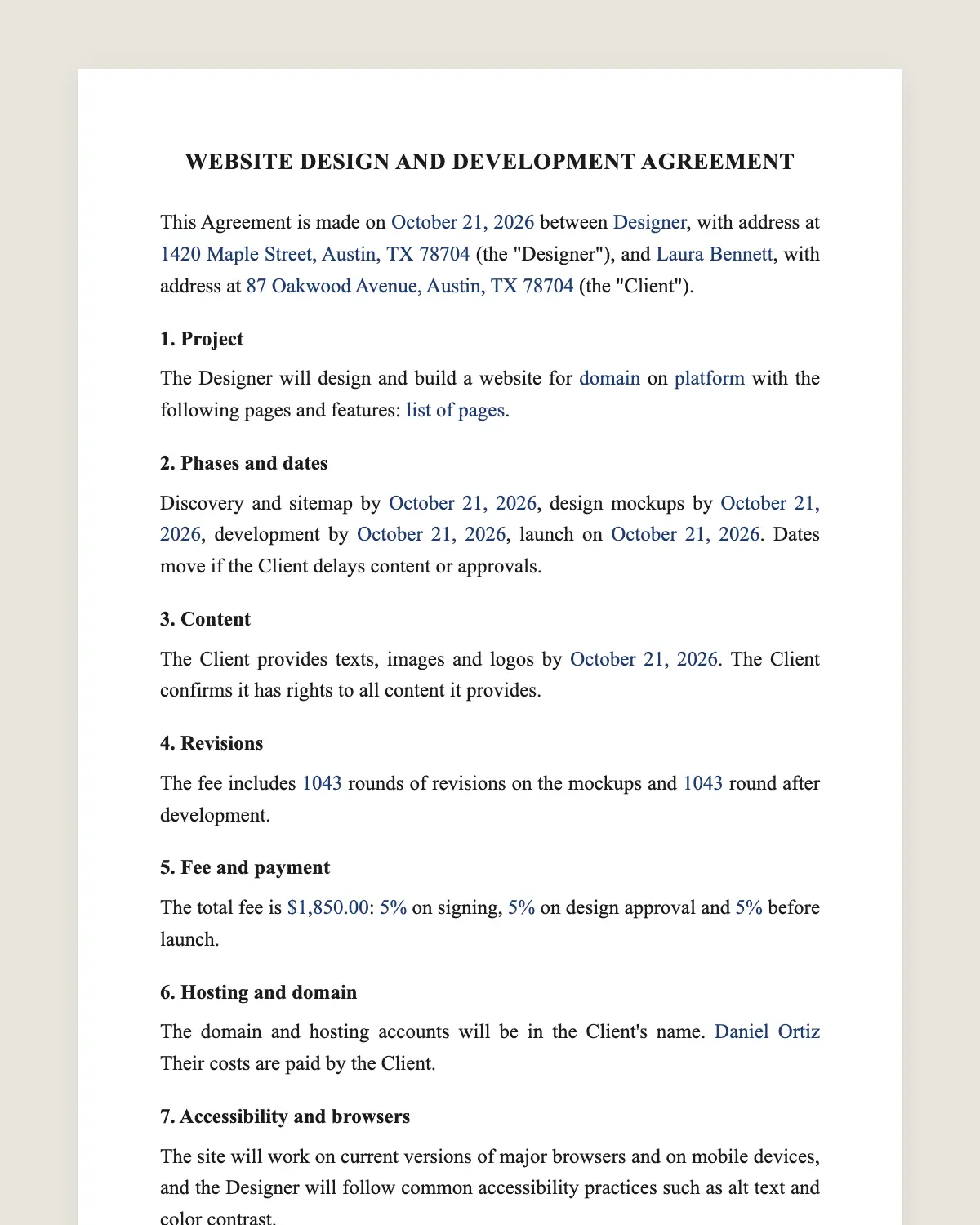
Web design contract example, filled in with sample data
Example filled in with sample data

The full web design contract

WEBSITE DESIGN AND DEVELOPMENT AGREEMENT

This Agreement is made on [date] between [Designer or agency legal name], with address at [address] (the "Designer"), and [Client legal name], with address at [address] (the "Client").

1. Project

The Designer will design and build a website for [domain] on [platform] with the following pages and features: [list of pages, forms, online store, booking, languages].

2. Phases and dates

Discovery and sitemap by [date], design mockups by [date], development by [date], launch on [date]. Dates move if the Client delays content or approvals.

3. Content

The Client provides texts, images and logos by [date]. [Optional: The Designer writes the texts for [amount].] The Client confirms it has rights to all content it provides.

4. Revisions

The fee includes [number] rounds of revisions on the mockups and [number] round after development.

5. Fee and payment

The total fee is [amount]: [percentage] on signing, [percentage] on design approval and [percentage] before launch.

6. Hosting and domain

The domain and hosting accounts will be in the Client's name. [The Designer sets them up / The Client provides access.] Their costs are paid by the Client.

7. Accessibility and browsers

The site will work on current versions of major browsers and on mobile devices, and the Designer will follow common accessibility practices such as alt text and color contrast.

8. Ownership

On full payment, the Client owns the final design, its content and the custom code written for the site. Third-party themes, plugins and fonts stay under their own licenses. The Designer keeps its general tools and know-how.

9. Launch and handover

At launch, the Designer gives the Client all admin passwords and a short training session of [number] minutes.

10. Maintenance

After launch, the Designer fixes bugs reported within [number] days at no cost. Ongoing updates and support are [not included / included for [amount] per month].

11. Portfolio

The Designer may show the site in its portfolio and add a small credit link in the footer, unless the Client opts out here: [ ].

12. Termination

Either party may end this Agreement with written notice. The Client pays for work done to that date and receives the files paid for.

13. Governing law and signature

This Agreement is governed by the laws of [state]. The parties agree to sign it electronically, with the same effect as a handwritten signature.

Designer

Name and title: ______________

Date: ______________

Client

Name and title: ______________

Date: ______________

What the template includes

  • Domain, platform, pages and features
  • Phases with dates and what moves them
  • Content and who provides it
  • Revision rounds on design and development
  • Fee in three payments
  • Domain and hosting in the client's name
  • Browser, mobile and accessibility basics
  • Ownership of design and custom code on payment
  • Passwords and training at launch
  • Bug fixes, maintenance and portfolio credit
  • Termination, governing law and electronic signature

What you fill in

FieldExample
DesignerPixel & Pine Studio LLC
ClientHarbor Dental Group
Domainharbordental.example
PagesHome, services, team, booking, contact
LaunchJanuary 20, 2027
FeeUSD 6,500
Payments40%, 30%, 30%
Bug-fix window30 days
MaintenanceUSD 150 per month

How it gets signed

  1. 1Choose «Use this template», fill in the fields and review the full web design contract.
  2. 2Send it by WhatsApp or email. The other party opens the link on their phone without an account.
  3. 3They tap the brown bar at the bottom that says «Sign as …» and draw their signature once.
  4. 4Everyone gets the signed PDF with its signature certificate. Anyone can check it at signsolu.com/verificar.

The signing screen tells each signer that signing means agreeing to sign electronically. It links to the electronic signature disclosure that the ESIGN Act asks for.

What you get once everyone signs

  • The signed PDF. The final web design contract with every drawn signature in place.
  • The signature certificate. It lists each signer and the date and time of each signature.
  • A record you can check. The folio on the certificate opens the document history at signsolu.com/verificar.
  • Reminders. Turn them on and SignSolú reminds every signer who has not signed yet.

Your first ten documents are free and need no card.

What the law says

Under 17 U.S.C. 101, work by an independent contractor is a "work made for hire" only in nine listed categories, and only if both parties agree in a written instrument signed by them. Outside those cases, the client owns the work only through a written assignment.

A website is not one of those nine categories, so clause 8 transfers the design and custom code by assignment on payment.

Accessibility rules for websites differ by business type and state. Clause 7 sets a practical baseline both sides can check.

The ESIGN Act, 15 U.S.C. 7001 gives an electronic signature the same legal effect as one on paper. A contract cannot be denied effect only because it was signed electronically.

Domain and hosting in the client's name

Clients lose sites when the designer owns the hosting account. Putting both in the client's name avoids that from day one.

The designer still gets access to build and maintain the site. At handover, the client changes the passwords.

Scope creep and how to stop it

New pages and features appear halfway through most projects. Clause 1 lists what is included, and anything else becomes a change order.

Send the change order from your phone with the new price and date. The client signs it, and the project keeps moving.

Track every change order in the same folder as the contract. At launch, the final invoice matches what the client approved.

After launch

Sites need updates, backups and security patches. Offer a monthly plan in clause 10 or tell the client in writing that maintenance is theirs.

Either way, the client knows who to call when something breaks.

Common mistakes

Late content. Client content is the top reason sites launch late. Clause 2 moves the dates when it arrives late.

No ownership clause. State what the client owns and what stays licensed.

No handover. Deliver passwords and a short training at launch.

Example of a small business site

A dental clinic hires a studio for a five-page site with online booking. The fee is USD 6,500 in three payments.

The domain and hosting stay in the clinic's name. The studio builds, launches, hands over passwords and trains the front desk for thirty minutes.

Bugs reported within thirty days are fixed at no cost. After that, the clinic pays USD 150 a month for updates and backups.

The clinic's office manager signs the contract and each change order from her phone between patients.

Clients sign faster when the proposal and contract arrive together.

Before you sign

Other templates

Frequently asked questions

Is a web design contract signed online legally binding?

Yes. The ESIGN Act gives electronic signatures the same effect as handwritten ones. The signed PDF and its certificate show who signed and when.

Who owns the website code?

The client owns the design and custom code after full payment. Themes, plugins and fonts stay under their own licenses.

Can I attach the proposal and sitemap?

Yes. Upload them with the contract so the client signs everything together.

Does it cover online stores?

Yes. List the store features in clause 1, such as products, payments and shipping.

Can the client host the site themselves?

Yes. Clause 6 lets the client provide hosting access instead.

Is SEO included?

Only if you list it in clause 1. Write the specific tasks, such as page titles and a sitemap.

Does the other party need a SignSolú account?

No. They open the link on their phone and sign with the brown bar at the bottom.

Can I edit the clauses before sending it?

Yes. After «Use this template» you can change any clause before you send it.

See also

Create a free account and send 10 documents