Texas motor vehicle bill of sale: free in Word, or sign it online
Reviewed in October 2026
A Texas motor vehicle bill of sale records the price, date and vehicle in a private sale. The Texas Department of Motor Vehicles asks the seller to give the buyer the signed title and Form 130-U with the sales price. The bill of sale keeps both sides' own record of the deal.
Ten documents free, no card. Signed by the seller and the buyer.
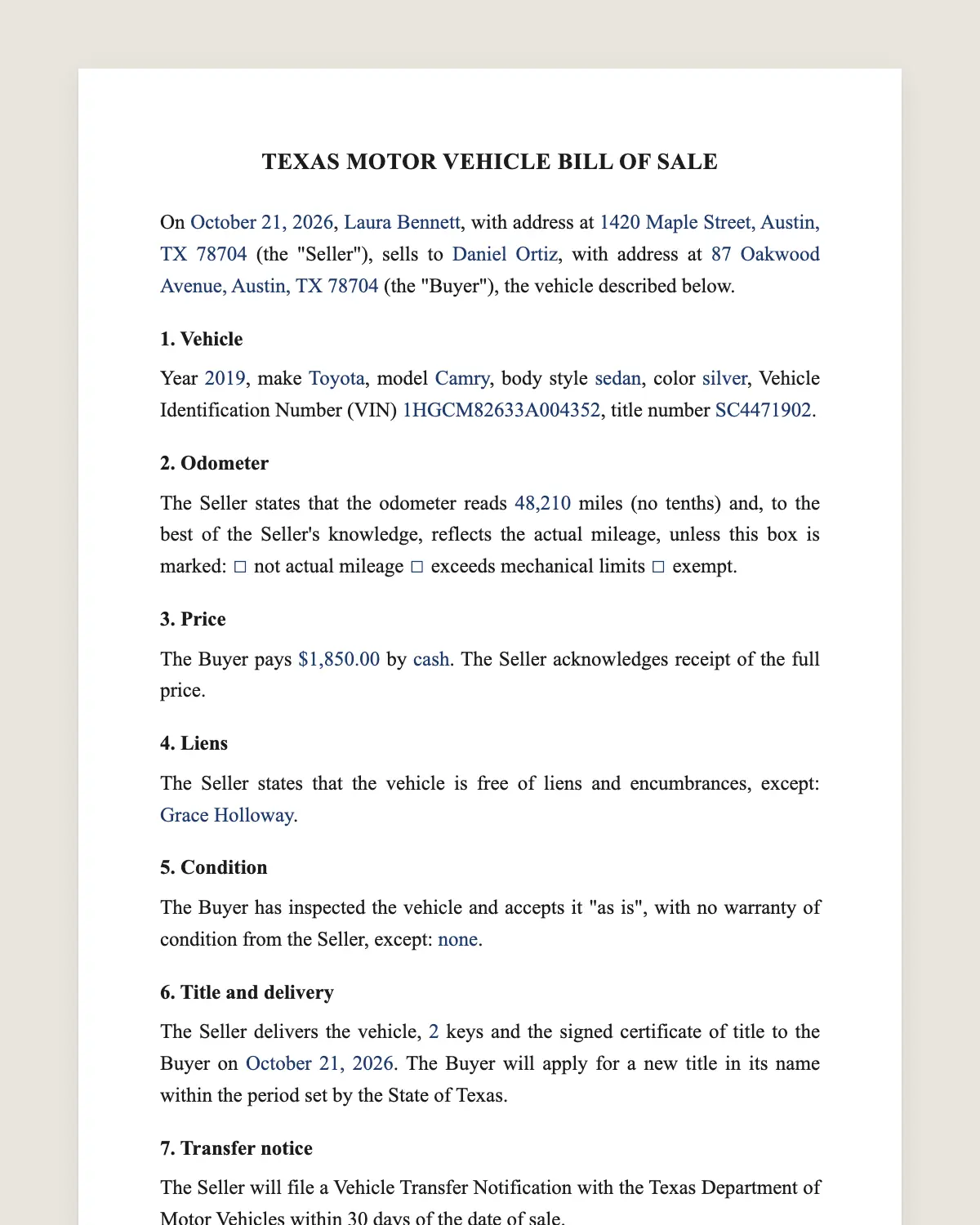
Example filled in with sample data
The full Texas bill of sale
TEXAS MOTOR VEHICLE BILL OF SALE
On [date of sale], [Seller full legal name], with address at [address] (the "Seller"), sells to [Buyer full legal name], with address at [address] (the "Buyer"), the vehicle described below.
1. Vehicle
Year [year], make [make], model [model], body style [body style], color [color], Vehicle Identification Number (VIN) [VIN], title number [title number].
2. Odometer
The Seller states that the odometer reads [mileage] miles (no tenths) and, to the best of the Seller's knowledge, reflects the actual mileage, unless this box is marked: [ ] not actual mileage [ ] exceeds mechanical limits [ ] exempt.
3. Price
The Buyer pays [amount] by [cash, cashier's check or bank transfer]. [If a trade-in applies: The Buyer also delivers [trade-in description], valued at [amount].] The Seller acknowledges receipt of the full price.
4. Liens
The Seller states that the vehicle is free of liens and encumbrances, except: [none, or name of lienholder and amount].
5. Condition
The Buyer has inspected the vehicle and accepts it "as is", with no warranty of condition from the Seller, except: [none, or the warranty given].
6. Title and delivery
The Seller delivers the vehicle, [number] keys and the signed certificate of title to the Buyer on [date]. The Buyer will apply for a new title in its name within the period set by the State of Texas.
7. Transfer notice
The Seller will file a Vehicle Transfer Notification with the Texas Department of Motor Vehicles within 30 days of the date of sale.
8. Electronic signature
The parties agree to sign this bill of sale electronically. An electronic signature has the same effect as a handwritten one.
Seller
Printed name: ______________
Date: ______________
Buyer
Printed name: ______________
Date: ______________
What the template includes
Names and addresses of seller and buyer
Year, make, model, body style, color and VIN
Title number
Odometer reading with the federal check boxes
Price, payment method and trade-in
Statement of liens
"As is" condition or the warranty given
Delivery of the vehicle, keys and signed title
Consent to sign electronically
Seller's promise to file the Vehicle Transfer Notification
What you fill in
Field
Example
Seller
Marcus Bell
Buyer
Rosa Alvarado
Vehicle
2017 Toyota Camry SE, silver
VIN
4T1BF1FK5HU123456
Odometer
84,210 miles
Price
USD 13,500
Payment
Cashier's check
Liens
None
Place of sale
Houston, Texas
Transfer notification
Filed online the day of the sale
How it gets signed
1Choose «Use this template», fill in the fields and review the full Texas bill of sale.
2Send it by WhatsApp or email. The other party opens the link on their phone without an account.
3They tap the brown bar at the bottom that says «Sign as …» and draw their signature once.
4Everyone gets the signed PDF with its signature certificate. Anyone can check it at signsolu.com/verificar.
The signing screen tells each signer that signing means agreeing to sign electronically. It links to the electronic signature disclosure that the ESIGN Act asks for.
What you get once everyone signs
The signed PDF. The final Texas bill of sale with every drawn signature in place.
The signature certificate. It lists each signer and the date and time of each signature.
A record you can check. The folio on the certificate opens the document history at signsolu.com/verificar.
Reminders. Turn them on and SignSolú reminds every signer who has not signed yet.
Your first ten documents are free and need no card.
What the law says
The Texas Department of Motor Vehicles explains private sales on its page Buying or Selling a Vehicle. Vehicles must be titled in the buyer's name within 30 days from the date of sale.
The seller gives the buyer a properly signed title with the date of sale and odometer reading, and a signed Application for Texas Title and/or Registration, Form 130-U, with the sales price clearly shown.
When the seller files a Vehicle Transfer Notification within 30 days, TxDMV marks the vehicle as sold. The seller then cannot be held responsible for parking tickets and toll violations committed by the buyer.
The ESIGN Act, 15 U.S.C. 7001 gives an electronic signature the same legal effect as one on paper. A contract cannot be denied effect only because it was signed electronically.
Bill of sale, Form 130-U and the transfer notification
Bill of sale. The contract between seller and buyer, with price, condition and delivery.
Form 130-U. The title application the buyer files at the county tax office.
Vehicle Transfer Notification. The seller's notice to TxDMV, filed online or by mail.
The three work together. This template covers the first and reminds the seller about the third in clause 7.
What the seller does after signing
1Sign the title over with the date of sale and odometer reading.
2Sign Form 130-U with the sales price clearly shown.
3Decide what to do with the license plates. TxDMV lets the seller keep them or move them to another vehicle of the same class.
4File the Vehicle Transfer Notification within 30 days.
5Keep the signed bill of sale with the buyer's contact details.
Common mistakes
Skipping the transfer notification. Without it, tolls and tickets can come back to the seller.
Different prices on different papers. Use the same sales price on the bill of sale and Form 130-U.
License plates after a Texas sale
TxDMV gives the seller options for removed plates. They can move to another vehicle of the same class or stay with the seller for later use.
The registration sticker does not transfer. The buyer gets new registration with the title application.
Getting paid safely in a Texas private sale
Cash and cashier's checks are the usual choices. Meet at the buyer's bank when the amount is large, so the teller confirms the funds.
Do not hand over the title until the money is in your account. A signed bill of sale with the price paid protects the seller only after payment clears.
If the buyer pays by bank transfer, wait for the confirmation in your own banking app. Screenshots sent by the buyer are not proof of payment.
What the buyer should check before signing
The VIN on the dashboard, the door jamb and the title match.
The name on the title is the seller's name.
The title shows no open lien, or the seller has the lien release.
A mechanic you trust has looked at the vehicle.
A vehicle history report shows no salvage or flood record.
Once both sides are satisfied, send the bill of sale for signature. In Texas, buyer and seller usually sign the same day the keys change hands.
Is a Texas bill of sale signed online legally binding?
Yes. The ESIGN Act gives electronic signatures the same effect as handwritten ones. The signed PDF and its certificate show who signed and when.
Does TxDMV have its own bill of sale form?
TxDMV asks for the signed title and Form 130-U with the sales price. This bill of sale adds the full terms of the deal for both parties.
How long does the buyer have to title the car in Texas?
Thirty days from the date of sale, according to TxDMV.
Can I sign the title itself on my phone?
No. The title follows the state's own process, on paper or as an electronic title where the state offers one. The bill of sale is the document you sign here.
Does the other party need a SignSolú account?
No. They open the link on their phone and sign with the brown bar at the bottom.
Can I edit the clauses before sending it?
Yes. After «Use this template» you can change any clause before you send it.