Medical consent form for a minor while the parents are away: what it has to carry
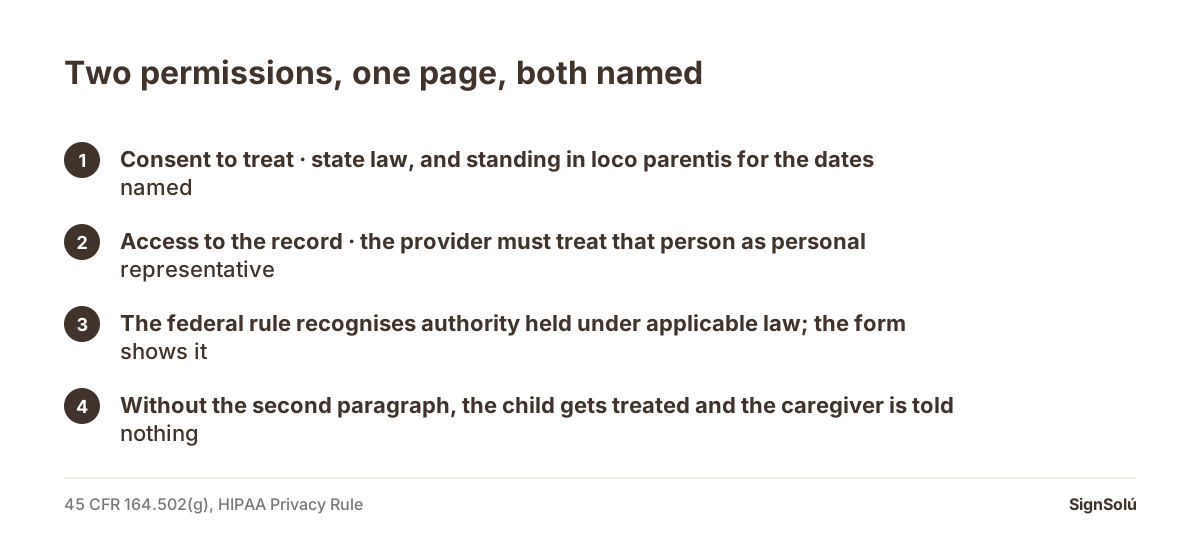
The form has to grant two different things, and most templates only grant one. The first is consent to treat: whoever is caring for the child needs written authority to say yes to medical care, because that authority comes from state law and from standing in loco parentis, not from being an adult in the room. The second is access to the record: under 45 CFR 164.502(g), a provider must treat a parent, guardian or other person acting in loco parentis as the child’s personal representative for health information relevant to that representation, so the form is what shows the caregiver is that person. Name the child, the caregiver, the dates and both permissions, and sign it before the trip, not from the airport.
Why one signature is not enough
Picture the two conversations that actually happen. At the front desk, a clinic asks who is authorising treatment for a nine-year-old whose parents are in another country. An hour later, someone asks for the X-ray result and the medication the child was given. Those are two different permissions under two different sets of rules, and a form that only covers the first leaves the grandparent standing in a corridor being told nothing.
Consent to treat is state law. Who may consent for a child when the parents are unavailable, and in what form, is set by each state, and several of them spell out the written consent and what it must contain. Access to the record is federal. The HIPAA Privacy Rule, in 45 CFR 164.502(g), says a covered entity «must, except as provided in paragraphs (g)(3) and (g)(5) of this section, treat a personal representative as the individual for purposes of this subchapter», and paragraph (g)(3)(i) extends that to a child: if under applicable law «a parent, guardian, or other person acting in loco parentis has authority to act on behalf of an individual who is an unemancipated minor in making decisions related to health care», the provider must treat that person as the personal representative with respect to protected health information relevant to that representation.
Read that twice, because the whole design of the form follows from it. The federal rule does not hand the caregiver anything on its own: it says the provider must recognise whoever has authority under applicable law. The form is the document that shows the caregiver is that person for the dates in question.
| Consent to treat | Access to the record | |
|---|---|---|
| Where it comes from | State law and standing in loco parentis | 45 CFR 164.502(g), the HIPAA Privacy Rule |
| Who it is addressed to | The clinic, hospital or dentist | Anyone holding the health information |
| What the form must name | The child, the caregiver, the scope of care | The same, plus what information may be shared |
| Time limit | The dates the parents are away | The same dates, stated again |
| What happens without it | Treatment may be limited to an emergency | The caregiver is told nothing |
What the form has to say
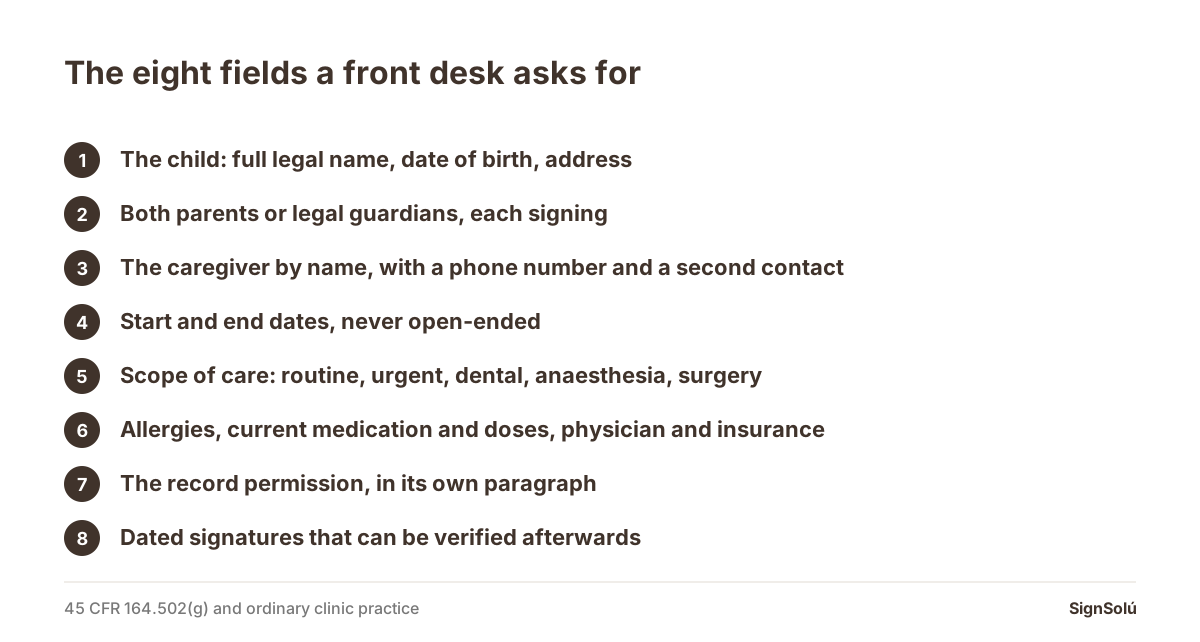
- 1The child, fully identified. Full legal name, date of birth, and address. A nickname on a form is the fastest way to a delay at a front desk.
- 2The parents or legal guardians, and the fact that both signed. Where two people hold parental authority, both signatures are worth having; one is an argument waiting to happen.
- 3The caregiver, by name, with a phone number. «My sister» is not an identification. Add a second contact in case the first is unreachable.
- 4The dates. Start and end. An open-ended authorisation reads like a transfer of custody, which is not what you are doing and not what a clinic wants to interpret.
- 5The scope of care. Routine care, urgent care, dental, anaesthesia, surgery: say which are included. Many forms stop at «medical treatment», and anaesthesia is exactly where someone will ask.
- 6The medical facts the caregiver cannot be expected to know. Allergies, current medication and doses, chronic conditions, the treating physician’s name and number, and the insurance details.
- 7The record permission, in its own paragraph. State that the caregiver may receive and discuss the child’s protected health information for those dates, and name the providers if you know them. The access itself runs through the right of access in 45 CFR 164.524, which is the rule a personal representative uses.
- 8Signatures with a date, and a way to verify them. This is the part that fails most often, and the rest of this page is about it.
Travel consent is a different document
Parents often ask for one form and need two. A medical consent authorises care; a travel consent letter tells a border officer or an airline that the child may travel with this adult. They answer different questions and are usually presented to different people, so keep them separate and carry both. If the trip is into Mexico, the paperwork on the Mexican side has its own habits: the documents you sign when moving to Mexico and a Mexican notary: what needs one and what does not explain which papers a notary has to touch and which ones do not. For a dental appointment the consent is its own form again: dental work in Mexico and the consent form.
What this form is not
It is not a guardianship, it is not a power of attorney over the child, and it does not move custody. Those are court or statutory instruments with their own formalities; this is a time-limited authorisation. The adult version of the same idea is a different document altogether: a medical power of attorney, a health care proxy and a power of attorney for medical decisions all deal with an adult who cannot decide for themselves. For a child, the instrument that does come close is a power of attorney for a minor, and even that is narrower than custody.
The clause nobody writes, and the one everybody writes badly
The clause nobody writes is the revocation. Say how the parents can withdraw the authorisation and to whom notice goes. A form with no exit is a form that keeps working after the trip ends, which is not what anyone intended.
The clause everybody writes badly is the one that tries to cover everything: «I authorise any and all medical treatment deemed necessary». A front desk reads that as either too much or too little, depending on who is reading. Listing routine care, urgent care, dental and anaesthesia separately takes four extra lines and removes the hesitation. The same discipline applies to any consent paperwork: what a letter of consent means and what a signed waiver does and does not cover are the general version of the problem. If the child is going to a camp or an activity, there is usually a separate release as well: a parental consent letter and a location release form cover the ones that come up most.
Signing it so it works at the front desk
The practical failure is almost never legal. It is that the form was signed in a hurry, photographed, sent on a messaging app, and then nobody can tell whether the version the caregiver is holding is the one the parents signed. A photographed signature records nothing: not the time, not who signed, not whether a line was added later. That is the exact gap an electronic signature with an audit trail closes, and the general argument for it is in what makes an electronic contract and is an electronic signature legally binding.
SignSolú, an e-signature platform that works over WhatsApp, lets the parents send the form from their own number or by email; each signer opens the link on their phone and signs without creating an account or paying anything, and the audit receipt records time, IP address, device and a SHA-256 fingerprint of the file. Anyone at a front desk can check that the document was not altered at the verification page, with no account and no login. The free plan is 10 documents with no expiry and no card, which covers a family trip; you can start at create an account. The ready-made medical consent form already has the fields above, and if you prefer paper, how to sign a PDF and signing a PDF on an iPhone cover the mechanics.
One more practical note. Give the caregiver the signed file and a printed copy, and send a copy to the child’s regular clinic before you leave. A form that lives only in one person’s phone is one dead battery away from being useless, and how to sign a contract remotely is the same lesson learned on contracts.
Frequently asked questions
Does a caregiver need written consent to get a child treated?
In practice, yes. Who may consent for an unemancipated minor is set by state law, and a written, dated authorisation naming the child, the caregiver and the dates is what a clinic asks for. Without it, care may be limited to what an emergency allows.
Does the form also let the caregiver see the child’s medical records?
Only if it says so. Under 45 CFR 164.502(g)(3)(i), a provider must treat a parent, guardian or other person acting in loco parentis as the child’s personal representative for protected health information relevant to that representation, where that person has authority under applicable law. The form is what shows the caregiver is that person, so the record permission belongs in its own paragraph.
Is a medical consent form the same as a travel consent letter?
No. A medical consent authorises care and is shown to a clinic; a travel consent letter tells a border officer or an airline that the child may travel with this adult. They answer different questions, so carry both.
Should both parents sign?
Where both hold parental authority, yes. Two signatures remove the question a front desk would otherwise have to resolve, and they matter more, not less, when custody is shared.
How long should the authorisation last?
Only as long as the parents are away. Write a start date and an end date. An open-ended authorisation reads like a transfer of custody, which is a different instrument with its own formalities.
Can the form be signed electronically?
Yes, and it travels better that way. What a clinic needs is confidence that the page in front of it is the page the parents signed; a signature captured with the time, the device, the IP address and a fingerprint of the file gives that, and a photograph of a signed sheet does not.
Send your next contract to Mexico for signature
Create a free account and send 10 documents with no card. Your dashboard works in English. You set the language per signer, and their email, WhatsApp message and signing page arrive in that language.