Sponsorship agreement template: free in Word, or sign it online
Reviewed in October 2026
A sponsorship agreement records the deal between a sponsor and an event, team, creator or nonprofit. The sponsor pays money or goods. In return it receives benefits such as logo placement, booth space, tickets and mentions. The agreement also covers brand use, exclusivity and cancellation.
Ten documents free, no card. Signed by the sponsor and the sponsored party.
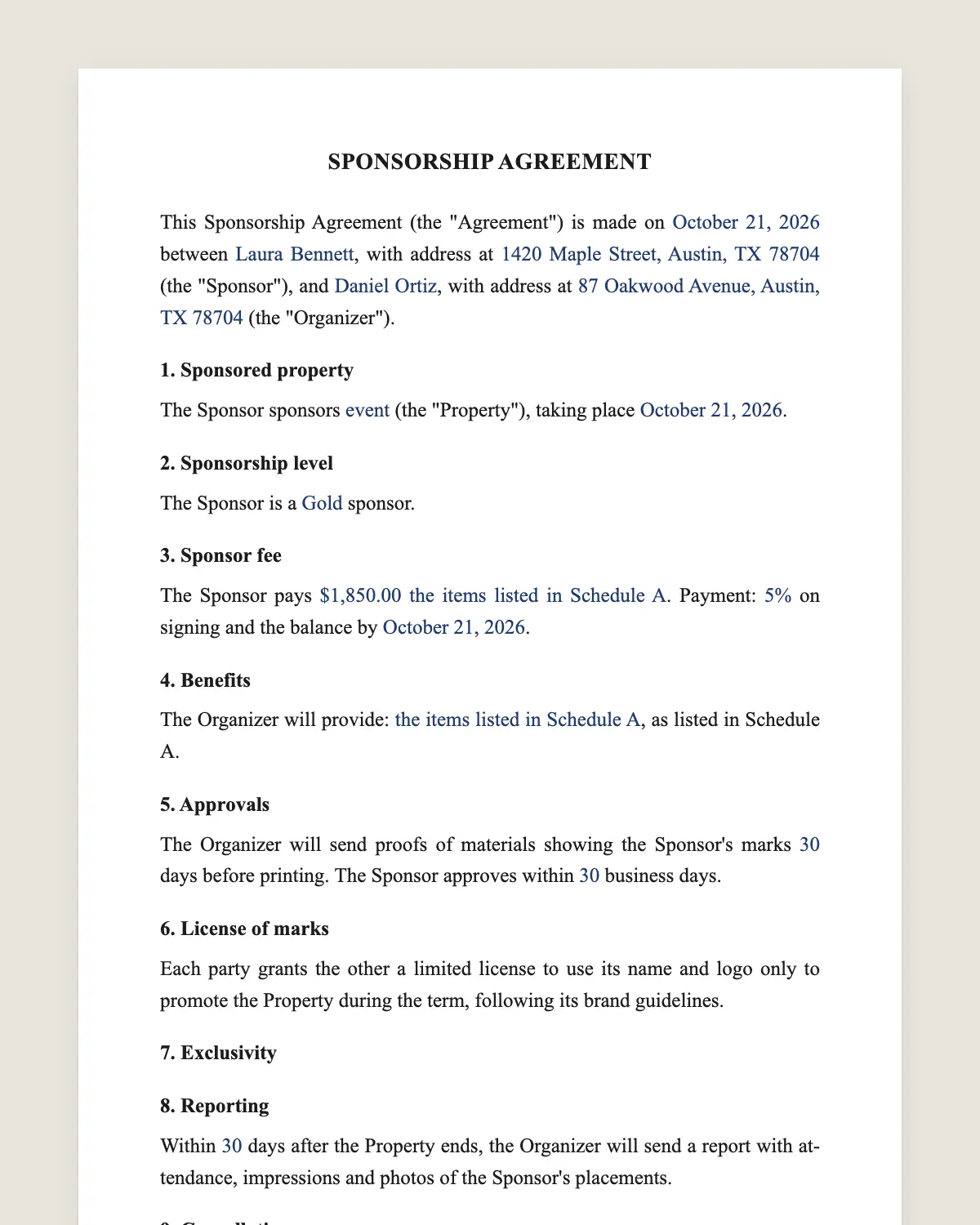
Example filled in with sample data
The full sponsorship agreement
SPONSORSHIP AGREEMENT
This Sponsorship Agreement (the "Agreement") is made on [date] between [Sponsor legal name], with address at [address] (the "Sponsor"), and [Organizer legal name], with address at [address] (the "Organizer").
1. Sponsored property
The Sponsor sponsors [event, season, team or program name] (the "Property"), taking place [dates and place].
2. Sponsorship level
The Sponsor is a [level, for example Gold] sponsor.
3. Sponsor fee
The Sponsor pays [amount] [and provides in-kind goods or services valued at [amount]: [description]]. Payment: [percentage] on signing and the balance by [date].
4. Benefits
The Organizer will provide: [logo on [items] in [size or position], booth of [size], [number] tickets, [number] social media mentions, speaking slot, naming rights for [area]], as listed in Schedule A.
5. Approvals
The Organizer will send proofs of materials showing the Sponsor's marks [number] days before printing. The Sponsor approves within [number] business days.
6. License of marks
Each party grants the other a limited license to use its name and logo only to promote the Property during the term, following its brand guidelines.
7. Exclusivity
[Optional: The Organizer will not accept another sponsor in the [category] category for the Property.]
8. Reporting
Within [number] days after the Property ends, the Organizer will send a report with attendance, impressions and photos of the Sponsor's placements.
9. Cancellation
If the Property is cancelled for reasons beyond the Organizer's control, the Organizer will [refund the unused portion or move the benefits to a later date]. If the Sponsor cancels, payments made are not refunded.
10. Insurance and liability
Each party is responsible for its own staff and activities and carries general liability insurance of at least [amount].
11. Governing law and signature
This Agreement is governed by the laws of [state]. The parties agree to sign it electronically, with the same effect as a handwritten signature.
Schedule A. Detailed benefits and deadlines.
Sponsor
Name and title: ______________
Date: ______________
Organizer
Name and title: ______________
Date: ______________
What the template includes
Event, season, team or program sponsored
Sponsorship level
Cash fee, in-kind value and payment dates
Benefits in a detailed schedule
Approval of materials with the sponsor's logo
Two-way license of names and logos
Optional category exclusivity
Post-event report
Cancellation on either side
Insurance, governing law and electronic signature
What you fill in
Field
Example
Sponsor
Harborline Credit Union
Organizer
Riverfront Music Festival Inc.
Property
Riverfront Music Festival 2027
Level
Gold
Fee
USD 25,000
Benefits
Main stage banner, 10x20 booth, 20 VIP passes
Exclusivity
Banking and credit unions
Report
Within 30 days
How it gets signed
1Choose «Use this template», fill in the fields and review the full sponsorship agreement.
2Send it by WhatsApp or email. The other party opens the link on their phone without an account.
3They tap the brown bar at the bottom that says «Sign as …» and draw their signature once.
4Everyone gets the signed PDF with its signature certificate. Anyone can check it at signsolu.com/verificar.
The signing screen tells each signer that signing means agreeing to sign electronically. It links to the electronic signature disclosure that the ESIGN Act asks for.
What you get once everyone signs
The signed PDF. The final sponsorship agreement with every drawn signature in place.
The signature certificate. It lists each signer and the date and time of each signature.
A record you can check. The folio on the certificate opens the document history at signsolu.com/verificar.
Reminders. Turn them on and SignSolú reminds every signer who has not signed yet.
Your first ten documents are free and need no card.
What the law says
A sponsorship agreement is a contract under state law. When a nonprofit receives the money, how the benefits are described can matter for its taxes, so nonprofits usually check with their accountant.
Sponsored posts on social media follow the same disclosure rules as other endorsements. Mark them as sponsored.
The ESIGN Act, 15 U.S.C. 7001 gives an electronic signature the same legal effect as one on paper. A contract cannot be denied effect only because it was signed electronically.
Packaging the benefits
Sponsors buy visibility and access. List every benefit with its size, place and deadline in Schedule A.
Levels such as Gold, Silver and Bronze make the offer easy to compare. Each level adds benefits, not just a bigger logo.
Include at least one benefit that brings the sponsor face to face with the audience, such as a booth or a speaking slot.
Approvals and deadlines
Printing deadlines are firm. Clause 5 gives the sponsor a set number of days to approve proofs.
Send proofs through SignSolú as a one-page approval. The sponsor signs from their phone, and printing starts on time.
Reports that bring sponsors back
A short report with attendance, photos of each placement and social media numbers shows what the sponsor got.
Send it within the days set in clause 8, together with next year's proposal.
Example of a festival sponsorship
A credit union sponsors a music festival at the Gold level for USD 25,000. It receives a main stage banner, a booth and twenty VIP passes.
The festival accepts no other bank or credit union as sponsor. Thirty days after the event, the credit union receives photos and attendance figures.
Common mistakes
"Logo on materials". Name the materials, size and position.
No cancellation rule. Weather and permits can cancel events. Clause 9 settles it.
No approval step. A misprinted logo damages the relationship.
Sponsorship for nonprofits and schools
Nonprofits and school groups use sponsorships to fund events and programs. Sponsors often care most about community visibility.
Offer benefits that fit that goal, such as a thank-you on the program, a table at the event or a mention in the newsletter.
Keep the agreement short and clear. Volunteers can manage it without legal help.
Finding and closing sponsors
Send a one-page proposal with levels and benefits, then follow with the agreement for the level the sponsor picks.
Sponsors sign from their phone, and the first payment often arrives the same week. The earlier you sign, the more time you have to deliver the benefits.
Keep each signed agreement with its proofs and the final report. Next year's renewal starts from that file.
In-kind sponsorships
Some sponsors give products or services instead of cash, such as drinks for an event or printing for a race.
Write the items, quantities, delivery date and agreed value in clause 3. The organizer can then plan around them and thank the sponsor properly.
If the goods arrive late or short, the agreement shows what was promised.
Treat in-kind sponsors with the same benefits schedule as cash sponsors at the same value.